Text-to-video is the core of what HeyGen does: write a script, get a finished presenter video. No camera, no recording, no editing suite. But “text-to-video” means different things on different platforms, and understanding exactly what HeyGen’s implementation does — and does not do — saves significant time and prevents misaligned expectations.
This guide covers the full workflow, what the output actually looks like, and where HeyGen’s text-to-video feature is genuinely useful in 2025.
What HeyGen Text-to-Video Actually Is
HeyGen’s text-to-video is script-driven AI avatar video generation. You write text, an AI avatar delivers it as a talking-head presenter video. This is different from generative AI video tools like Sora or Runway that generate visual scenes from text prompts.
HeyGen’s output is always a presenter video — a person (AI avatar) speaking to camera. What changes based on your text input is what they say, how they say it, and in what language. The visual setting, avatar appearance, and background are set separately through HeyGen’s editor interface.
How Text-to-Video Works in HeyGen (Step-by-Step)
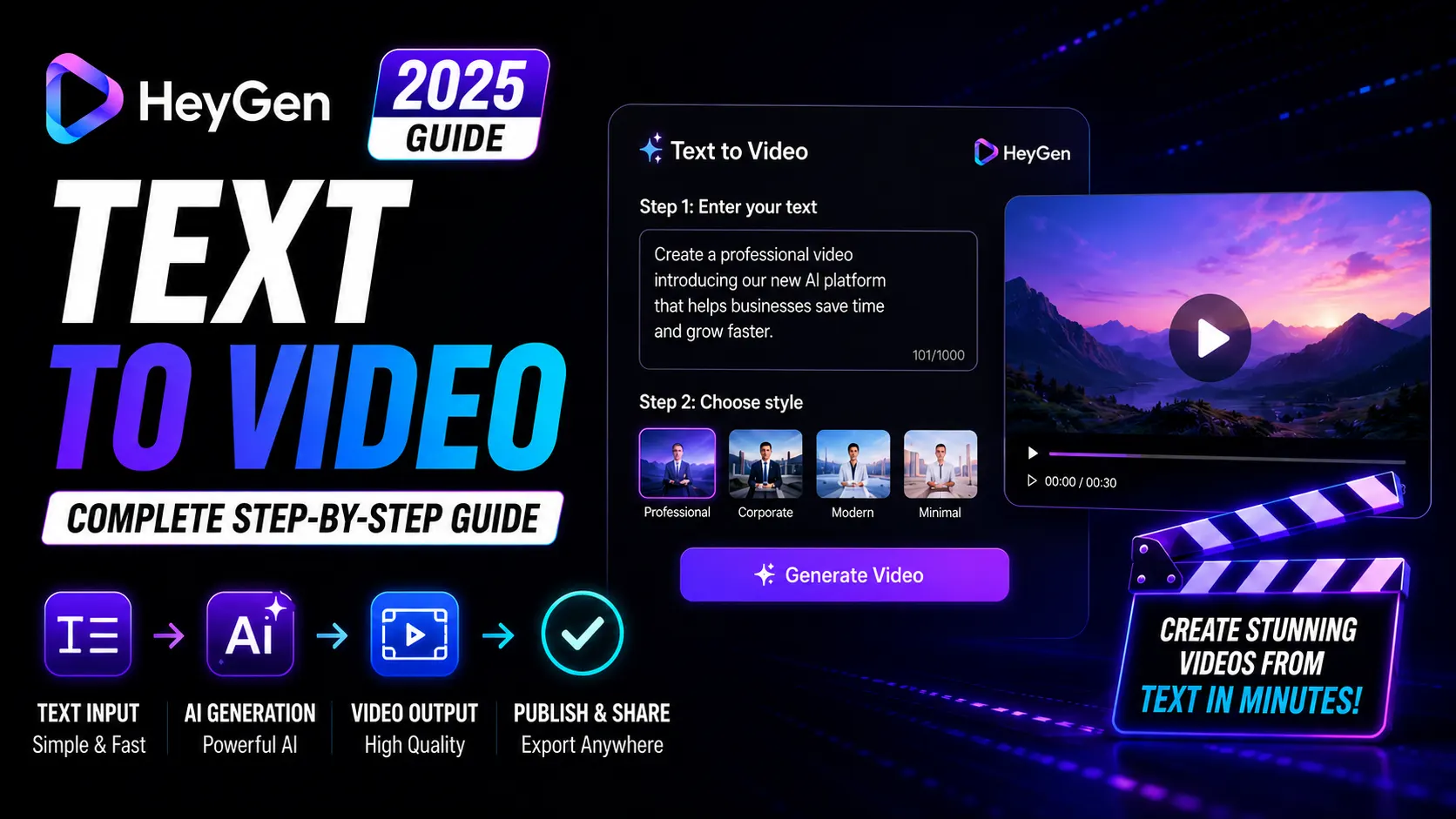
- Open HeyGen Studio — create a new video project
- Select an avatar — choose from 700+ stock avatars or use your custom avatar (Creator plan+)
- Choose a voice — HeyGen’s library has 300+ voices across accents and languages, or use your cloned voice (Creator plan+)
- Type your script — paste or type your text into the script field. HeyGen supports SSML tags for pronunciation control and pause insertion.
- Set background and layout — choose a background color, image, video background, or place your avatar over custom footage
- Preview and generate — preview in low quality first, then render the full-quality video (1080p on Creator plan+)
From script to rendered video typically takes 5-15 minutes, depending on video length and current render queue.
Script Tips for Better HeyGen Videos
Sentence Structure
HeyGen’s avatar responds best to natural, spoken-style sentences. Avoid long complex sentences with multiple clauses — they tend to produce stilted delivery. Write as you would speak, not as you would write in an essay.
Using Pauses
Insert natural pauses with SSML break tags: <break time="0.8s"/>. Pauses between sections improve pacing and make the video feel more natural. Without intentional pauses, HeyGen avatars can sound slightly rushed.
Pronunciation Control
For technical terms, brand names, or unusual words, HeyGen supports phonetic spelling via SSML phoneme tags. This prevents mispronunciation of specialized vocabulary common in tech, medical, and legal content.
What HeyGen Text-to-Video Produces: Quality Expectations
The output is a polished talking-head presenter video. Avatar IV (HeyGen’s flagship model) delivers full-body motion with realistic gestures, micro-expressions, and natural head movement synchronized to your script.
Standard avatars (which do not consume Premium Credits) are strong for most use cases — primarily upper-body, professional presentation style. Avatar IV is noticeably more realistic and worth using for hero content, though it consumes 20 credits per minute of video (200 credits/mo included on Creator plan).
Realistic expectations: HeyGen produces excellent content for informational, educational, and marketing presentations. It is not the right tool for emotionally charged, highly personal, or entertainment-first content where authenticity and charisma matter more than polish.
Best Use Cases for HeyGen Text-to-Video
- Online course modules — structured lesson content where the presenter explains concepts clearly
- Product explainer videos — spokesperson demos for product pages and YouTube channels
- Corporate training content — onboarding, compliance, and process training videos
- Marketing videos — brand awareness and feature-highlight content for social media and landing pages
- Multilingual versions — the same script in 175+ languages, letting you target global audiences from a single production effort
Limitations
- No scene generation: HeyGen does not generate visual environments from text prompts. You manage backgrounds and visual elements separately.
- Emotional ceiling: AI avatars deliver enthusiasm and confidence well, but extreme emotion (anger, deep empathy, comedy timing) does not land as convincingly as with a real performer.
- Script dependency: Output quality is proportional to script quality. Weak scripts produce weak videos regardless of avatar quality.
Pricing: What Plan Do You Need?
The free plan lets you test text-to-video with 3 videos per month at 720p. This is enough to validate whether the quality meets your standard before paying.
The Creator plan at $29/mo ($24/mo annual) unlocks unlimited text-to-video output at 1080p, voice cloning, and 175+ language support. For most creators and marketing teams, this is the right tier.
Upgrade to Pro ($99/mo) only if you are producing high volumes of Avatar IV content and hitting the 200 Premium Credit ceiling monthly.
HeyGen Text-to-Video vs Competitors
Synthesia is the closest direct competitor — also script-driven AI avatar video. Synthesia’s avatar quality is comparable for business content, but HeyGen’s Avatar IV model is visibly more realistic and its video translation feature is significantly more capable.
Tools like Sora, Runway, and Pika generate video from text prompts (scene generation), not presenter videos. These are fundamentally different product categories — HeyGen is not competing with them for the same use cases.
Pros and Cons
- Pro: Fastest path from script to polished video — minutes, not days
- Pro: 700+ avatar options covering virtually any brand style
- Pro: 175+ language support for global content from a single script
- Pro: SSML support for pronunciation and pacing control
- Con: Not a scene generator — outputs presenter video only
- Con: Avatar IV credit cap on Creator plan (200/mo)
- Con: Emotional range limited compared to real performance
Verdict
If you need to convert written content into polished presenter videos at scale, HeyGen text-to-video is the most capable tool in 2025. The workflow is fast, the output quality is professional-grade for business content, and the multilingual capability multiplies every script’s value.
Start with the free plan — 3 videos is enough to judge whether the quality fits your use case before upgrading.
Frequently Asked Questions
How long does HeyGen take to generate a video from text?
From script submission to rendered video typically takes 5-15 minutes, depending on video length and current queue. Preview rendering (low quality) is near-instant.
What is the maximum video length in HeyGen?
HeyGen supports videos up to 30 minutes in length on paid plans. The free plan has a 3-minute limit per video.
Can HeyGen generate videos in any language from the same script?
Yes. HeyGen supports 175+ languages on the Creator plan. You can generate the same video content in multiple languages, each with a native-sounding voice.
Does HeyGen text-to-video support custom avatars?
Yes. Custom avatar training (your own face and likeness) is available on the Creator plan and above. Once trained, your custom avatar delivers any script you provide.