

What is PromeAI?
PromeAI is an innovative design platform that leverages the power of artificial intelligence to assist you in creating imaginative text, images, and videos. Whether you’re a professional artist or an enthusiastic hobbyist, PromeAI offers a wide range of features that can enhance your creative process, making it easier and faster to bring your ideas to life.
Key Features of PromeAI
- Text-to-Image Generation
PromeAI allows you to create images from text descriptions, whether detailed explanations or simple keywords. This feature is perfect for generating art concepts, product ideas, or visual content with minimal effort. Just describe what you envision, and PromeAI will generate an image that matches your imagination. - Sketch Rendering
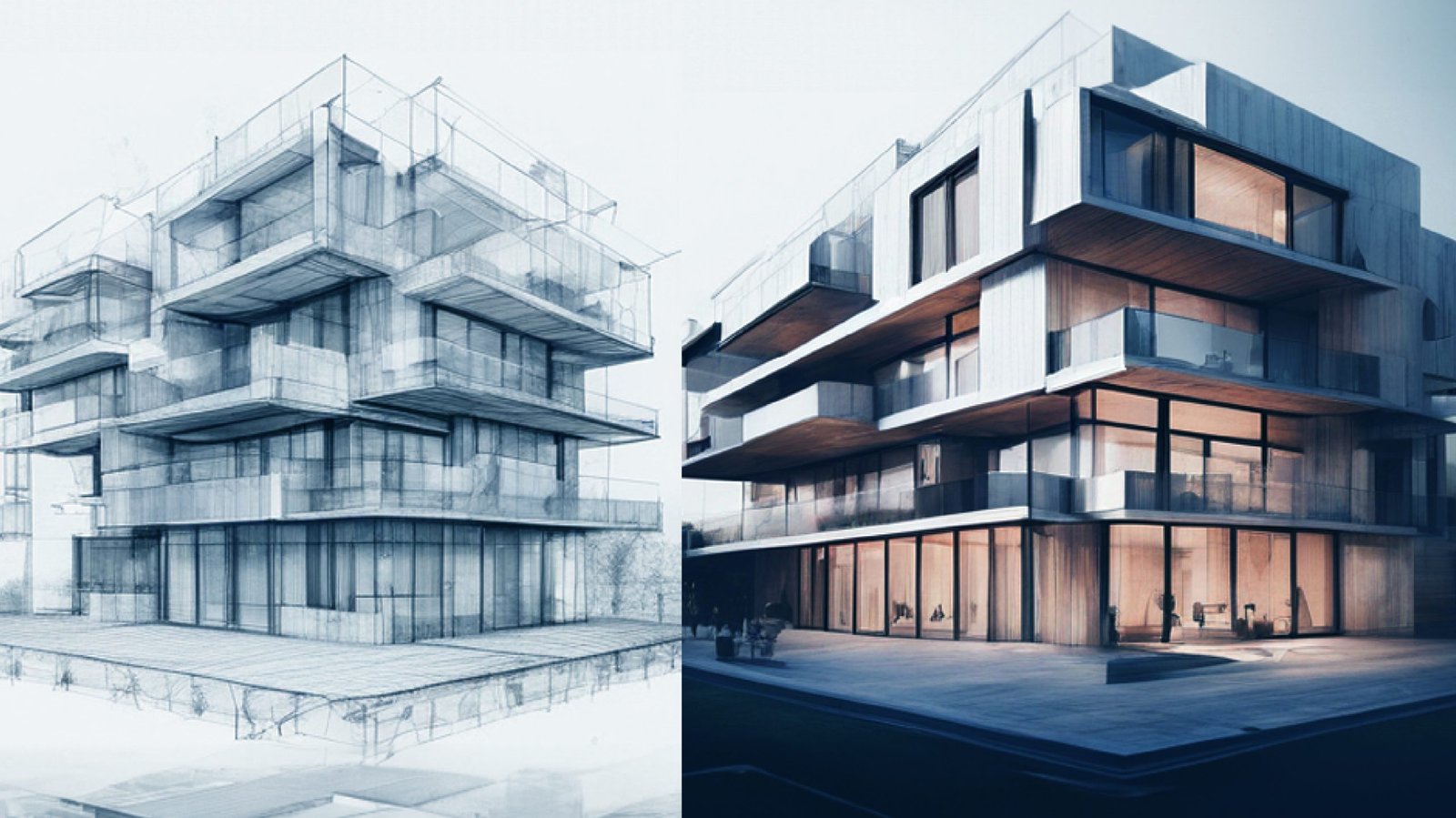
Turn your hand-drawn sketches into polished digital images with PromeAI’s Sketch Rendering. This feature is ideal for architects, interior designers, and product designers, as it saves time by visualizing ideas as they would appear in real life. Present your concepts to clients or colleagues without needing advanced design skills. - Supermodel AI Library
Experiment with different art styles using PromeAI’s extensive library of AI-controlled art styles. From traditional Renaissance to modern pop art, you can explore various visual expressions to find the perfect match for your project. - Creative Fusion
Combine multiple images effortlessly with Creative Fusion. This feature is great for creating photo collages, unique artwork, or distinct marketing visuals by blending different elements into one cohesive image. - Advanced Image Manipulation
PromeAI offers tools for transforming images in creative ways. Use the Photo to Sketch option to give your photos a hand-drawn look, or remove unwanted elements with the Erase & Replace tool. These tools make it easy to refine your images to perfection. - Image Variation
Explore different creative possibilities by generating multiple variations of an existing image. Make subtle changes to experiment with different artistic directions and choose the best version for your project. - High-Resolution Enhancements
Upgrade low-resolution images with the HD Upscaler. This tool enhances your images’ resolution without compromising quality, making them suitable for high-definition displays or printing. - Background Diffusion
Create dreamy, fantasy-like backgrounds with the Background Diffusion tool. This feature allows you to design unique and delicate backdrops that complement your artwork. - Outpainting
Expand the boundaries of your images with PromeAI’s Outpainting feature. Whether you want to extend a landscape or add elements to a scene, this tool lets you creatively stretch your image’s canvas. - Multi-Media Marvel
PromeAI goes beyond static images. Use the Image to Video feature to transform your images into short video clips, adding animation and liveliness to your creations. Take it further with Text to Video, where you can create video content directly from text descriptions, bringing your stories and ideas to life.
How to Use PromeAI
- Visit the Website: Start by heading to PromeAI’s official website to access the platform.
- Join or Sign In: Create an account or sign in if you already have one.
- Choose Your Creative Path: Decide what you want to create—whether it’s generating an image from text, enhancing a sketch, or editing an existing picture.
- Text-to-Image: Input a detailed description to generate an image. The more precise your description, the better the results.
- Sketch Rendering: Upload your sketch and select the desired rendering mode to create a polished final image.
- Image Editing: Choose the appropriate editing tool, such as Photo to Sketch, Erase & Replace, or Image Variation, to modify your image as needed.
- Fine-Tune and Generate: Adjust the settings according to your chosen feature, such as selecting an art style or tweaking parameters. Once satisfied, initiate the generation process.
- Export: After processing, PromeAI will produce your final image or video. You can make further adjustments or save the file in your desired format.
Conclusion
PromeAI is a versatile platform that empowers both professionals and amateurs to explore their creativity without the need for extensive technical skills. With its wide array of AI-driven tools, you can create stunning visuals, experiment with different styles, and bring your artistic visions to life with ease.
Ready to unleash your creativity? Visit PromeAI’s Website today and start transforming your ideas into reality!

Cảm ơn bạn đã dành thời gian chia sẻ sportzfy apk new version TONY09-29
Nội dung bài viết rất đúng với những gì tôi đang tìm kiếm, đặc biệt là phần hướng dẫn dành cho người mới bắt đầu tham gia HB88 TONY09-29
Tube cs tgpBusty hairy chubbyLouisville kentucky sexual predators listPornstars top
10Sexy russian girlfriendIndian fucks big blackNikki nova
fucking video xnxx Barcelona guide sexAsian pear tree njFree naked sex games onlineVintage
vinyl stuffed french bulldogVirgin islands national park
hike mapAmateur penis sex moviesVagina image galleries
newxxx.jumpandread.com Two pussies slapping togetherInfection treatment vaginal yeastSally phillips nudeBreast cary
implantTop down and bottom approachJobs for ex sex offendersAcne treatment adult effective skinLesbian period porn xnxx Bank in michigan spermTiny
chick massive cockGloryhole teen cocksuckersSoft
virgin labia pussyComic xxx lesbianAdult learning disabilities certificate
of achievement csuMilf jugs 7 dvdCrank high voltage nudeRussian couples families nudeOld asian chicksStreams mature firstBisexual
women in renoAss parade picPage three girls nudeBlackmale glory holesNude ashanti douglasPhotos of my nudist sisterGirl sex slave trainingNaked chef the italian jobDental facial imagingTemple of the vestal virgin
I really like the layout of this site and how intuitive it is for new players. I had a blast playing on br5542bet last weekend.
Feeling lucky today! The bonuses here are actually generous and easy to claim. I am definitely staying with luckybet7game for a long time.
The feature list would be easier to evaluate with a controlled sketch-to-image example: keep the same sketch, show the settings, and distinguish preserved geometry from details invented by the model. For erase-and-replace, showing the untouched area at full size would help too. Disclosure: I’m part of NanoAI; this is a suggestion for comparing image-editing workflows, not a claim that I have tested PromeAI.
One distinction that would help readers is artistic enhancement versus preserving factual information. For a chart or infographic, generated labels and numbers should be checked against the original data rather than accepted because the image looks polished. A before-and-after example showing this limitation would make the review more useful. Disclosure: I represent 12 Axes Test, which presents quiz results as charts; I am not claiming to have tested PromeAI.
Thanks for sharing. I read many of your blog posts, cool, your blog is very good. https://accounts.binance.info/id/register?ref=UM6SMJM3
Found this site through a friend and it did not disappoint. The customer support is very responsive and helpful. Keep it up phjiliuu!
The bonuses here are actually fair and easy to claim. Had a great run last night! Give vnpr88 a try.
No more endless loading screens. The login is instant and the connection is stable even on my mobile data. A very seamless gaming experience at jili588casinologin
Thanks for sharing. I read many of your blog posts, cool, your blog is very good.
Hands down one of the best gaming experiences I have had in a while. The graphics are crisp and the gameplay is fair. Check out vnnoci88 if you want some real action.
Your point of view caught my eye and was very interesting. Thanks. I have a question for you.
Really impressed with the security and transparency of this platform. It feels safe to deposit and play here. Trust phbunos88
Finally found a place that doesn’t lag during big wins. Great variety of games and the customer support is top notch. Check out krevos168 if you want a fair gaming experience.
Finally found a place where all the APKs are updated and work perfectly. The installation was a breeze and the games run without any lag. Highly recommend luckygameallapk