

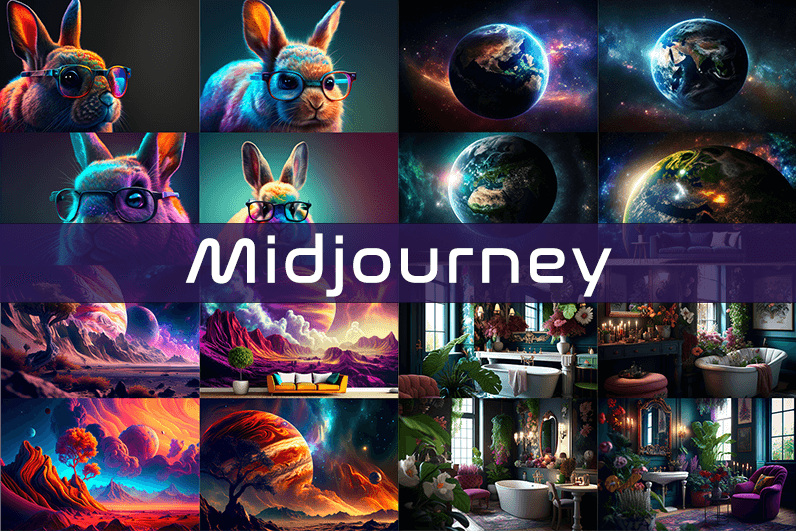
Midjourney is an AI image generation tool based on Discord, utilizing text commands to create images. You can input prompts for the type of image you’re looking for, and the system will generate the image for you. Whether it’s a dragon, an alien spaceship, a dancing puppy, or anything else, the Midjourney bot will assist you.
Key Points
- Discord-Based: Midjourney operates on Discord, so familiarity with Discord chat is necessary.
- High-Quality Images: It generates high-quality images based on text prompts.
- Artistic Styles: Capable of creating images in various artistic styles from sketches to paintings to surreal photos.
- Community Interaction: Engage with the community and participate in channels.
- Image Editing: Allows you to edit your images and create multiple variations.
- Upscaling: You can upscale your images to enlarge them.
- Customization: Fine-tune images by specifying aspect ratio, quality, and chaos levels.
- NLP Features: Excellent natural language processing features ensure accurate results.
- Version 5: The latest version, released in March 2023, is accessible to users.
- No Free Plan: Offers various paid plans according to user needs.
How We Tested the Product
I tested both simple and complex prompts, and Midjourney consistently provided accurate results. While I don’t consider myself an artist, it felt like engaging in artistic creation. You’re only limited by your imagination. It generates four images per prompt. You can select one of the four images and edit it. I tried various styles, and the results were perfect every time. Testing Midjourney felt more like fun than work.
Pros and Cons of Midjourney
Pros 👍
- Extremely easy to use; just type text prompts to generate images.
- Highly accurate results with high-quality images.
- Version 4 was great, and version 5 offers even better results.
- Provides fine-tuning features for artists.
Cons 👎
- No free trial.
- Images are public to other users, so you can’t create business designs.
- Only available on Discord.
- Limited customer support.
What is Midjourney?
Midjourney is a text-to-image generation tool powered by artificial intelligence. It uses Natural Language Processing (NLP) to interpret prompts provided by users and generates relevant images based on those prompts. Currently in version 5.2, Midjourney does not have a standalone application and operates on Discord chat. It boasts a large community where you can join channels to interact with other artists. While it can create stunning images, it is not recommended for business design purposes as all images are public.
How Does Midjourney Work?
Midjourney uses two machine learning techniques: Diffusion Model and Large Language Model. With the Large Language Model, Midjourney understands the meaning of user-entered prompts. Through diffusion, the system adds noise to the training dataset and then reverses the noise to restore the original image, training the AI to generate accurate results based on prompts.
In simpler terms, if you want to create an image of a “ladybug on a blade of grass,” AI starts with noise (like TV static) and gradually diffuses it to create an image matching your prompt, producing a clear image step by step.
Using Midjourney
Midjourney runs on Discord, a text and voice chat application. Here’s how to get started:
- Create a Discord Account: Download the Discord app or open it in your browser.
- Join Midjourney: Accept the invite to join Midjourney, available on their website.
- Enter Midjourney: Join any channel; a newbie channel is a good start. Use the search bar at the top right to find channels.
- Subscribe: You cannot create images without a subscription. Enter
/subscribein the text box to subscribe to their paid plan. - Select a Plan: It will take you to their pricing page. Subscribe to a plan and start creating images.
- Generate Images: Enter
/imagineto open the image prompt. Describe your image, and AI will create it. - Choose and Edit: You will receive four images per prompt. Select one to upscale or edit. Save the image when satisfied.
How to Upscale Images
When you generate an image, you’ll see buttons labeled U1, U2, U3, U4, V1, V2, V3, and V4. The U buttons upscale the selected image, and the V buttons create four new variations of the selected image. Right-click and save the image when you’re happy with the result.
Special Commands in Midjourney
Similar to /imagine, there are other special commands to interact with the Midjourney bot:
/askto ask a question./fastfor faster results./stealthfor stealth mode (your images won’t be visible to others)./subscribeto subscribe to a paid plan.
A full list of commands is available here.
Parameters
There are special parameters you can set with each command:
--aspect: Change the aspect ratio, e.g.,--ar 3:2for a 3:2 aspect ratio.--no: Negative prompts to exclude certain elements, e.g.,--no flowers.--tile: Create seamless images that match each other.
All Midjourney parameters can be found here.
Cost
Midjourney offers four plans:
- Basic Plan: $8/month
- Standard Plan: $24/month
- Pro Plan: $48/month
- Mega Plan: $96/month
These are annual fees, and monthly plans are slightly more expensive. The Basic Plan costs $10/month for a monthly subscription. No free trial is available. The Basic Plan allows for around 200 generations, and all your public images are visible to everyone. Stealth options are available in the Pro and Mega Plans.
Writing Creative Midjourney Prompts
Writing a generic prompt is easy, but crafting a prompt that highlights the beauty of Midjourney’s AI takes experience. Here are some tips:
- Detailed Descriptions: Provide detailed descriptions as AI might misinterpret vague terms.
- Brevity: Keep prompts concise. Longer prompts risk being ignored.
- Negative Prompts: Use negative prompts to exclude elements you don’t want, e.g., “a farm with no animals.”
- Creative Tags: Use creative tags for unusual images, e.g., “a flying dinosaur – creative.”
- Prompt Generator: Use a prompt generator to help create detailed prompts.
Is Midjourney Open Source?
Midjourney is not open source. It’s a self-funded project developed by a small team. Unlike Dall-E by OpenAI, which is open source, Midjourney’s software is not available for use, modification, or distribution. However, the images generated in public channels are “open source” in a sense, as they are publicly accessible.
Is Midjourney Safe?
Personal data provided to Midjourney is stored on their servers in the USA. The company ensures user data is safe and secure and does not sell any of your data. If you have used Midjourney, you can request data deletion by providing your email, Discord user ID, and Midjourney user ID. Publicly generated images on public channels are public and should not be used for business designs like logos.

Coming back to this one, definitely, and a quick visit to ravenharbortradehouse only made me more sure of that, the kind of writing that makes you want to set aside time later rather than rushing through it now while distracted by everything else competing for attention on the screen today across so many tabs.
Reading this in the gap between work projects was a small but meaningful break, and a stop at startnextleveljourney extended that gentle reset, content that provides genuine refreshment rather than just distraction during work breaks is content with a particular kind of utility and this site fits that role for me reliably during work days.
The tone stayed consistent across the whole post which is harder than it looks for longer pieces, and a look at learnandbuildmomentum continued the same voice, this kind of editorial consistency is a sign of either a single careful writer or a tightly run team and either is impressive today across the broader media environment.
Just one of those reads that left me feeling slightly more capable rather than overwhelmed, and a look at hupbolt kept that empowering feel going, the difference between content that builds the reader up and content that intimidates them is huge and this site clearly knows which side of that line to stand.
Honestly enjoyed not being sold anything for the entire duration of the post, and a look at discoverhiddeninsights kept that pleasant absence going across more pages, content that exists for its own sake rather than as a funnel to a paid product is increasingly rare and worth supporting where I can find it.
Just one of those reads that left me feeling slightly more capable rather than overwhelmed, and a look at findclearopportunities kept that empowering feel going, the difference between content that builds the reader up and content that intimidates them is huge and this site clearly knows which side of that line to stand.
Decided to set a calendar reminder to revisit, and a stop at buildintentionalgrowth extended that revisit list, calendar entries for content are a level of commitment I rarely make but when I do they signal a higher regard than a simple bookmark and this site has earned that calendar tier of relationship from me today.
подарки с логотипом компании на заказ https://www.suvenirnaya-produkcziya-s-logotipom-8.ru
Decided this was the best thing I had read all morning, and a stop at discoverhiddenvaluehub kept that ranking intact, ranking my reading is something I do mentally throughout the day and the top rank is competitive and not easily won but this site won it without needing to overstate its claims for that.
Took longer than expected to finish because I kept stopping to think, and a stop at holbook did the same to me, content that provokes thought rather than just delivering information is in a different category and the team here is clearly working at that higher level rather than just cranking out posts.
Closed the tab feeling I had spent the time well, and a stop at learnandinnovate extended that feeling across more pages, the test of whether time on a site was well spent is one I apply silently after closing tabs and very few sites pass it but this one passed it cleanly today afternoon clearly.
Most blog writing on this subject reaches for the same handful of arguments and this post avoided them, and a look at createimpactframework continued the original treatment, content that finds its own path through territory other writers have flattened is content with real authorial energy and this site has plenty of that distinctive energy.
мелбет скачать мелбет скачать
Stands out for actually being useful instead of just being long, and a look at jinvex kept that going, length without value is the default mode of most blogs these days but this site has clearly chosen a different path which I respect a lot as a reader who values careful editing decisions like that.
Worth saying that the prose reads naturally without straining for style, and a stop at discoverinnovativeideas maintained the same unforced quality, writing that achieves elegance without effort is the highest tier and this site has clearly worked out how to land that effortless quality consistently rather than only on the writers best days.
Loved the writing voice here, friendly without being fake and confident without being arrogant, and a stop at startwithclarity carried the same tone forward, the kind of personality that makes a reader feel welcome rather than lectured at which is a balance plenty of writers struggle to find no matter how long they have been at it.
Well structured and easy to read, that combination is rarer than people think, and a stop at learnandprogressdaily confirmed the same standard runs across the rest of the site, definitely the kind of place I will be coming back to when this topic comes up in conversation later again over the weeks ahead.
Your point of view caught my eye and was very interesting. Thanks. I have a question for you.
Probably the best thing I have read on this topic in the past month, and a stop at imobush extended that ranking, the casual ranking of recent reading is informal but real and this site has been winning those rankings for me on this topic specifically over the last several weeks of regular reading sessions.
Felt like the post had been edited rather than just drafted and published, and a stop at growwithsteadyfocus suggested the same care across the site, the difference between edited and unedited content is enormous for the reader and this site has clearly invested in the editing pass that most blogs skip entirely which really does show up.