

The basic version of Leonardo AI is available for free, although it comes with a daily limit of 150 tokens. For those who need more capabilities and fewer restrictions, premium plans start at $10 per month. However, the free version is sufficient for most beginners. It is recommended to try the free version before opting for the paid one. Here is your guide to creating images with Leonardo AI.
Here are 5 steps to get started with Leonardo AI:
Start:
Go to the Leonardo AI App:
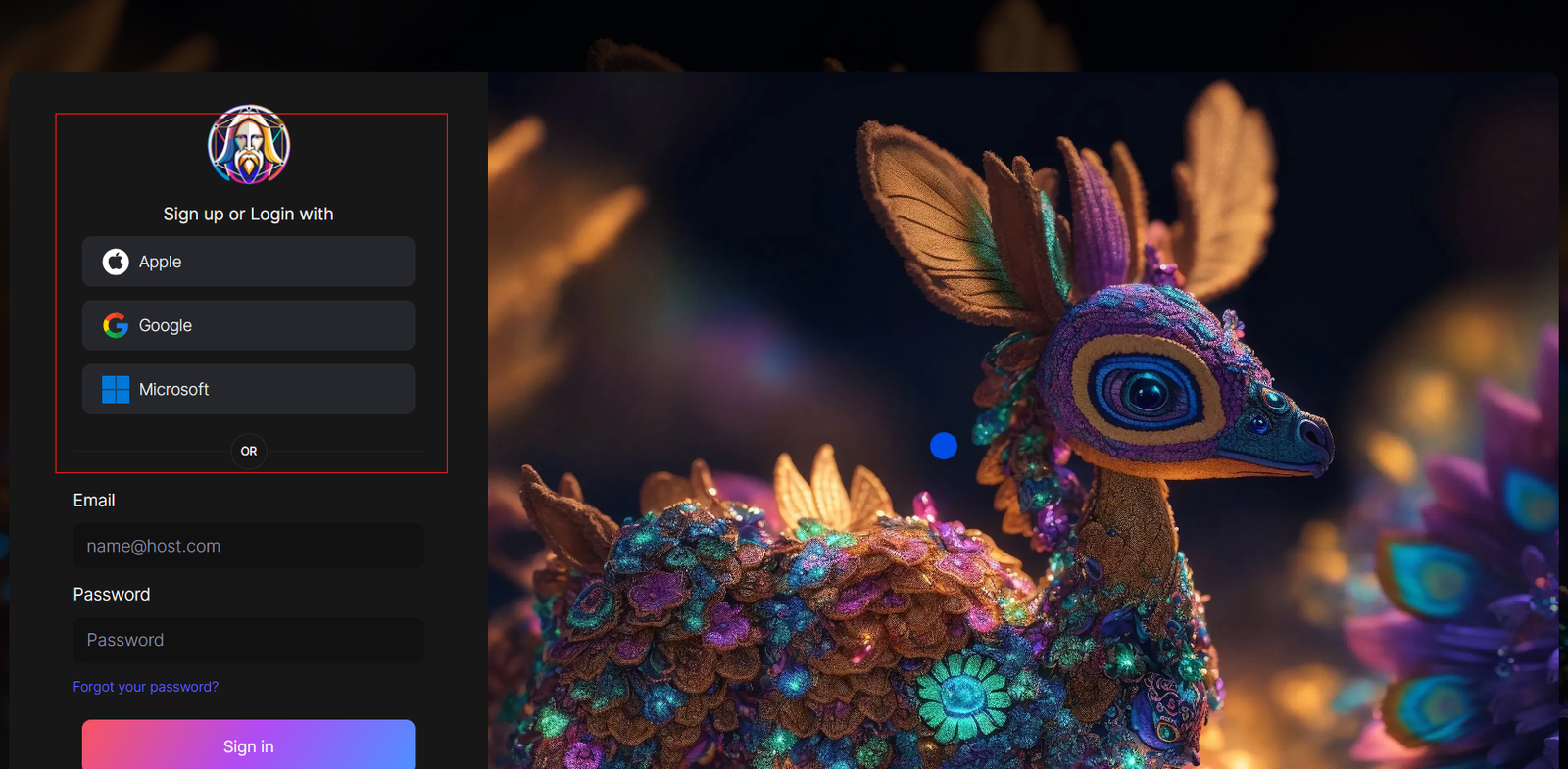
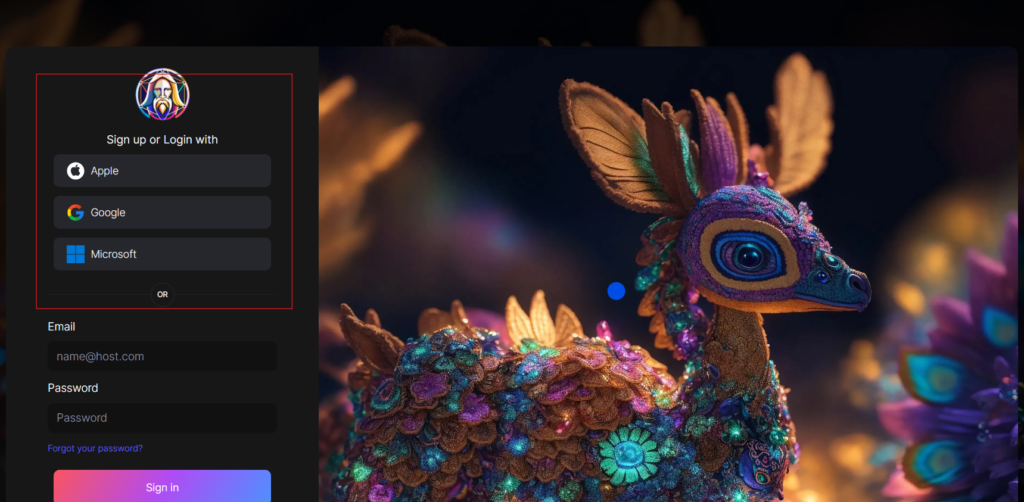
You can sign in with your Apple, Google, Microsoft account, or email account. Then, sign in with your newly created account.
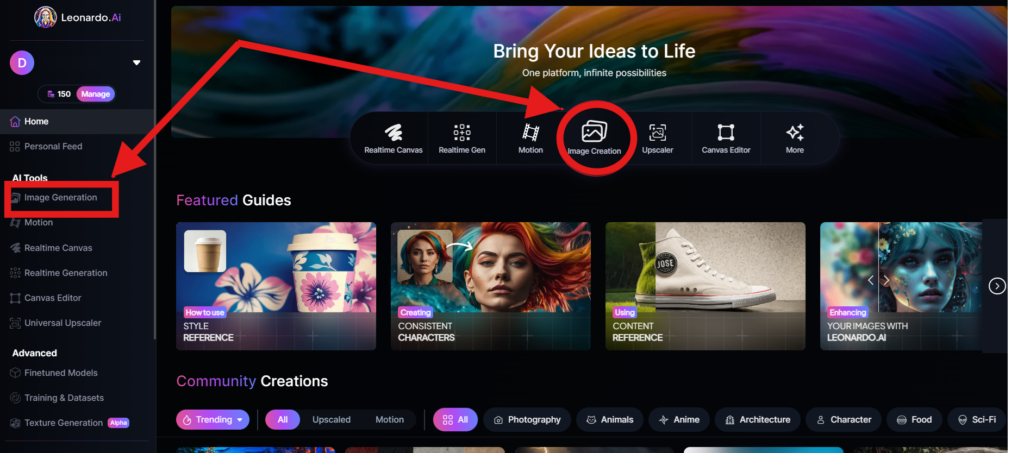
Navigate to the image creation tool
On the app.leonardo.ai homepage, select the ‘Image Generation’ option from the left panel, click on the icon in the middle or use the ‘Image Creation’ button located in the middle
Create your first image
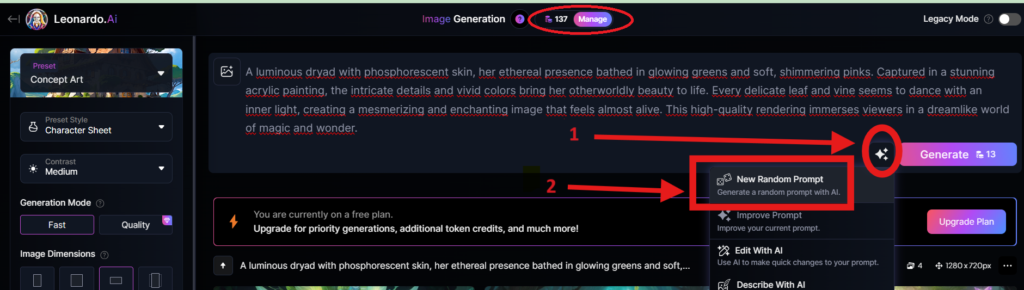
In the prompt field at the top you can immediately create your desired Image. Or you can also create a reminder with the available AI suggestions in 2 ways:
+ Generate a random photo: 1, Click to “New Random Prompt” then 2. click Generate
+ Create a photo with an AI description by an image that you want to get the original idea. Then you edit according to your creativity
Wait about 20 seconds for Leonardo AI to generate the images, and you will receive four stunning high-resolution images as follows:
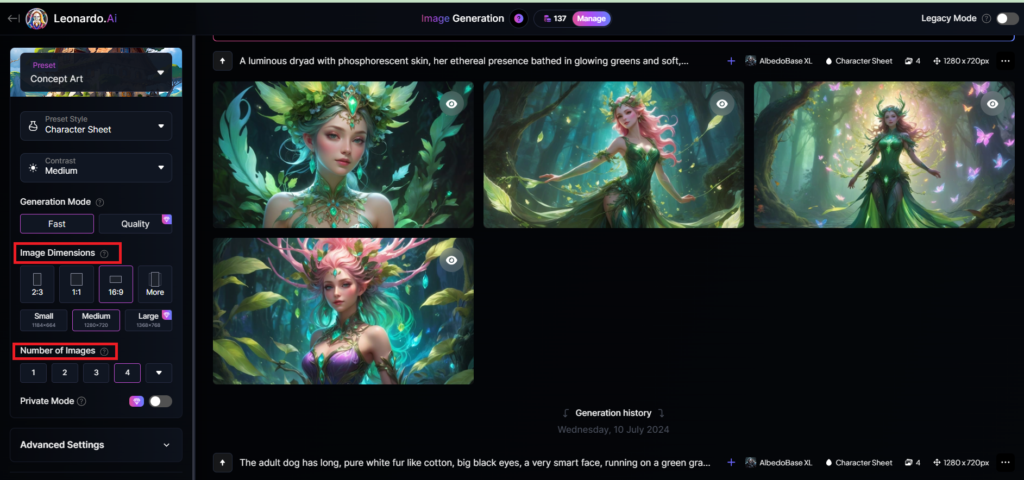
You can select the image size in the “Image Dimensions” section, which includes sizes like 2:3, 1:1, 16:9, and more options under “More” on the left. Alternatively, you can choose the number of images in the “Number of Images” section, with a maximum of 8 images that can be generated.
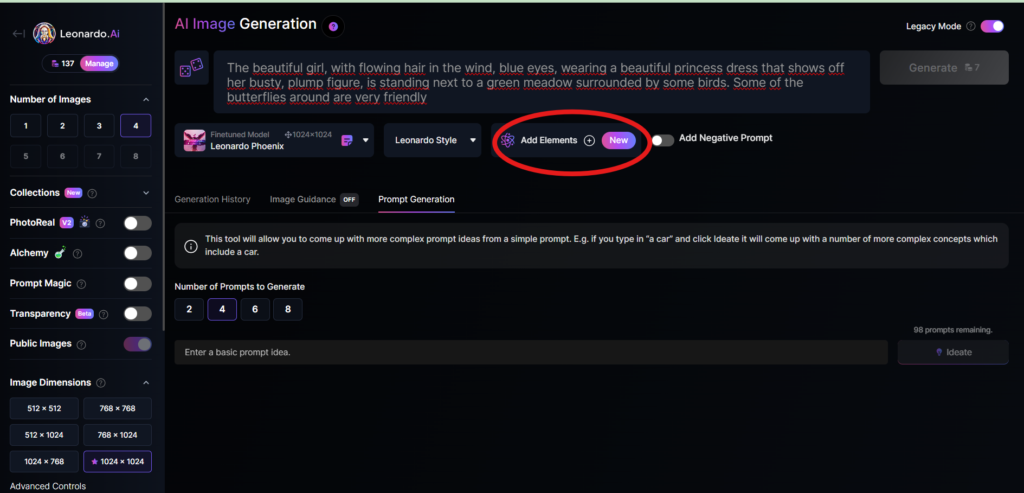
Add Elements
Use the drop-down menu under “Add Elements” to select a specific element such as Coloring Book, Folk Art Illustration, Children’s Illustration, Cartoon & Anime, or Classic Style Christmas Illustration. Although you can select multiple elements, Leonardo advises that choosing more than two elements may lead to unpredictable results.
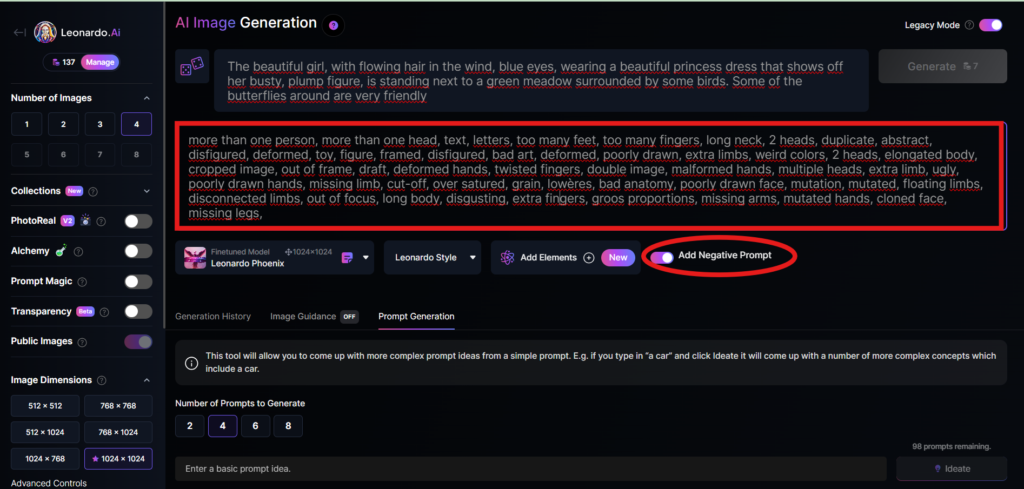
Add a negative prompt
As in the example above, I created negative prompts to ensure the resulting images were error-free, including: “more than one person, more than one head, text, letters, too many feet, too many fingers, long neck, 2 heads, duplicate, abstract, disfigured, deformed, toy, figure, framed, disfigured, bad art, deformed, poorly drawn, extra limbs, weird colors, 2 heads, elongated body, cropped image, out of frame, draft, deformed hands, twisted fingers, double image, malformed hands, multiple heads, extra limb, ugly, poorly drawn hands, missing limb, cut-off, over satured, grain, lowères, bad anatomy, poorly drawn face, mutation, mutated, floating limbs, disconnected limbs, out of focus, long body, disgusting, extra fingers, groos proportions, missing arms, mutated hands, cloned face, missing legs,”
Here are the basic steps for new users to create a simple image with Leonardo AI. In the next article, I will guide you through advanced details to create various types of images for different purposes. You can start your free trial with Leonardo AI here:


Сори я не туда отписал мефедрон купить, кокаин купить после этого случая я стал курить не сигареты конечно рц вообще понравилось и быстро дошло ,делал 1к8 великолепная вещь магазу продвиженийС наступающим новым 2017 годом:happy2013::snegurochka: , фарта и удачи вашей команде! продолжайте в том же духе!
айтсерфинг в хургаде Кайт школа в Крыму приглашает на обучение в живописных местах с чистой водой. Это идеальный выбор для тех, кто хочет провести лето активно и полезно.
уборка в москве
Hello to every body, it’s my first pay a quick visit
of this weblog; this webpage contains remarkable and truly excellent stuff designed
for visitors.
https://hackaday.io/Melbetpromocode354?saved=true
dubai property group ceo Villa for Sale in Ajman
уборка квартир в москве
For newest information you have to visit web and on the web I found this site as a finest site for newest updates.
Sunswap Android app https://www.apkfiles.com/apk-621170/sunswap-app-download-for-android
rent house in city walk dubai Apartments for Sale in Dubai Emaar
Villas for rent in Dubai Land Apartments for Sale in Dubai Emaar
залоги техники сочи Ломбард в Сочи поможет вам получить деньги в день обращения, предоставив минимум документов для оформления сделки. Стабильные ломбарды Сочи дорожат своей репутацией и предлагают гибкие сроки выкупа для каждого клиента. Используйте выгодные залоги золота Сочи или приносите залоги техники Сочи для получения быстрой финансовой поддержки прямо сейчас.
Банкротство физических лиц в Калуге
регулируется федеральным законом о
банкротстве банкротство ип калуга.
Процедура позволяет гражданам, не способным погасить долги,
избавиться от финансовых обязательств.
Продукт получен, доставка по Москве заняла примерно сутки. Проверить качество пока не могу, но надеюсь приемлемое. мефедрон купить, кокаин купить он спонсировал всех нас.ты писал пришла посылка размыли в итоге прикола не поняли
opencollective.com
а у нас в квартире газ ….. от ГАЗПРОМ … вы не поверите но это так и есть мефедрон купить, кокаин купить Многие мне рекомендовали данный магазин как порядочный, надо попробовать!С человеком приятно иметь дело. Склонен на компромиссы 😉
this
ПС клады в Москве оч надежные!! прям 10 из 10, очень понравилось когда забирали 50г https://polilov.ru “Решил Попробовать Записаться”2с на высоте, прет огого как, сыпали по чуточки кто на что горазд, у меня до сих пор постэффекты
полезная статья
виндсерфинг и кайтсерфинг Хургада Кайт школы в Хургаде — профессионалы, которые помогут вам советом в поездке. Вы получите качественные уроки в отличной атмосфере на снаряжении высокого уровня здесь. Приезжайте в Египет, чтобы стать частью спортивного сообщества райдеров на море.