

The basic version of Leonardo AI is available for free, although it comes with a daily limit of 150 tokens. For those who need more capabilities and fewer restrictions, premium plans start at $10 per month. However, the free version is sufficient for most beginners. It is recommended to try the free version before opting for the paid one. Here is your guide to creating images with Leonardo AI.
Here are 5 steps to get started with Leonardo AI:
Start:
Go to the Leonardo AI App:
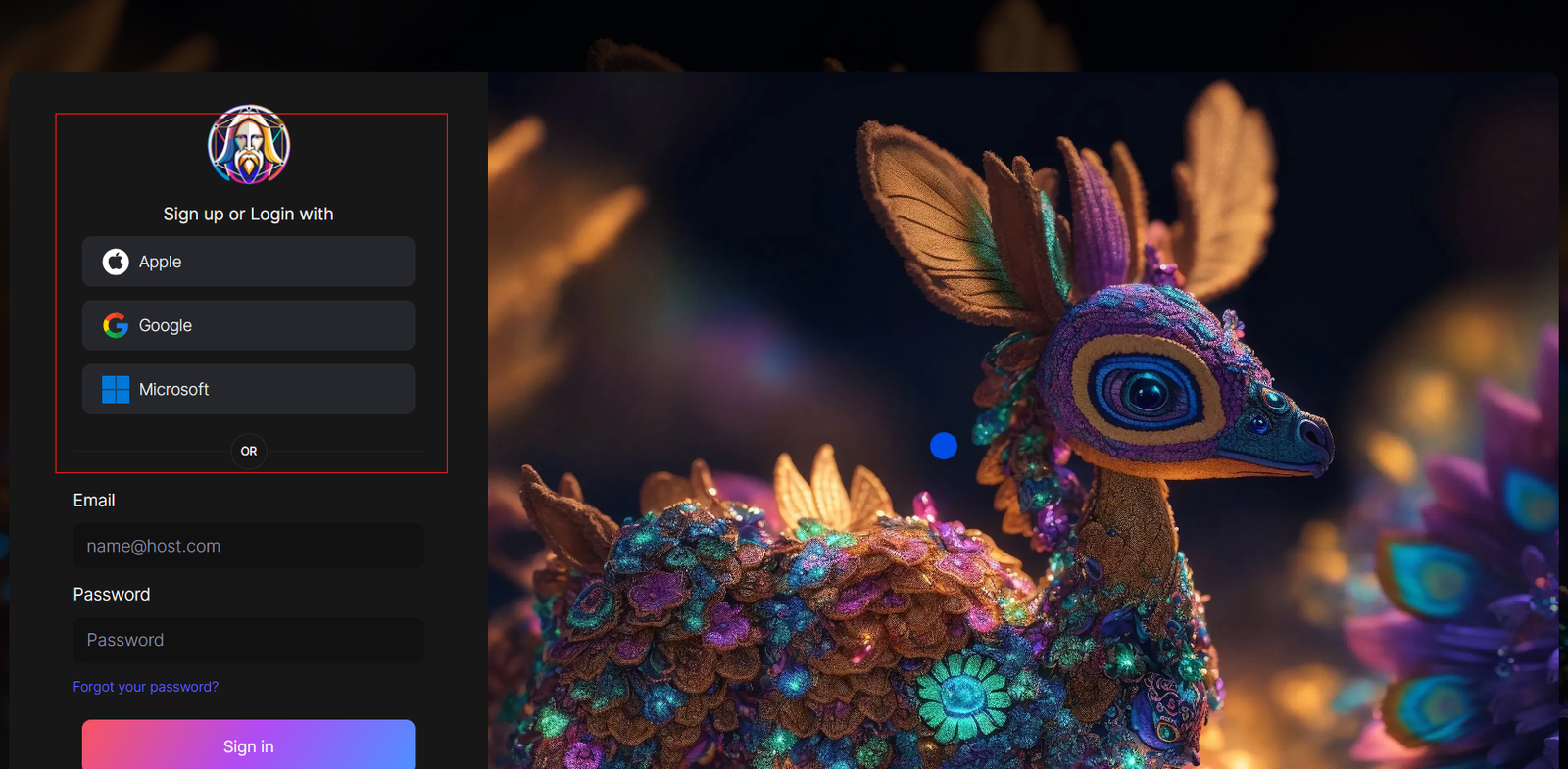
You can sign in with your Apple, Google, Microsoft account, or email account. Then, sign in with your newly created account.
Navigate to the image creation tool
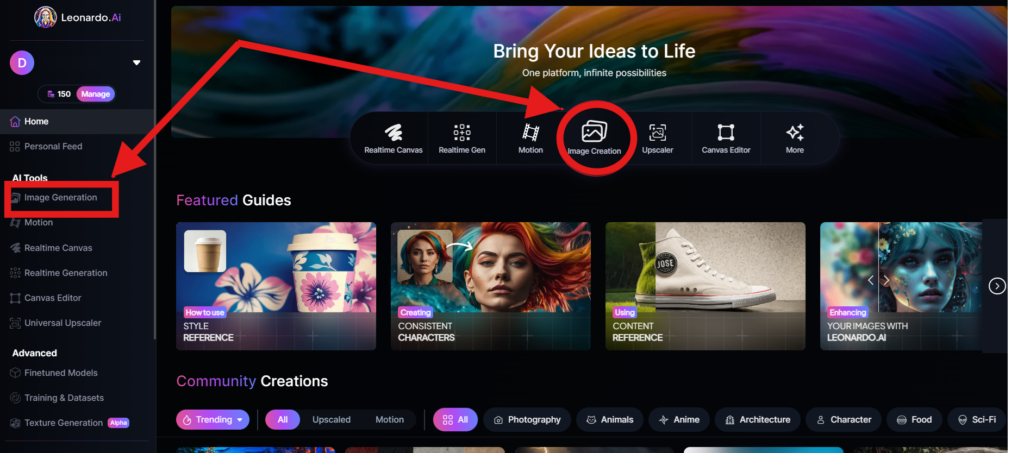
On the app.leonardo.ai homepage, select the ‘Image Generation’ option from the left panel, click on the icon in the middle or use the ‘Image Creation’ button located in the middle
Create your first image
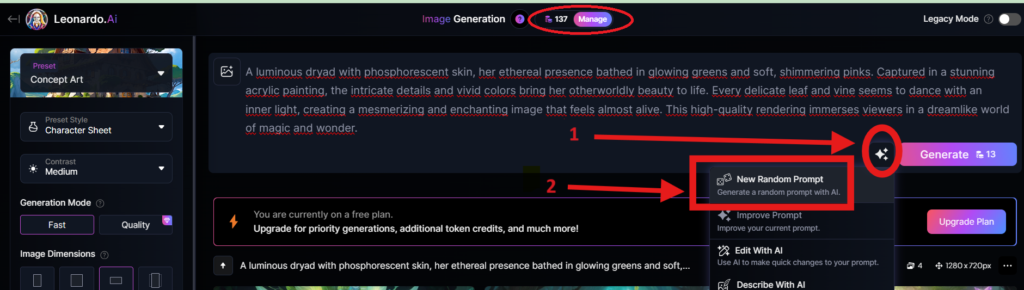
In the prompt field at the top you can immediately create your desired Image. Or you can also create a reminder with the available AI suggestions in 2 ways:
+ Generate a random photo: 1, Click to “New Random Prompt” then 2. click Generate
+ Create a photo with an AI description by an image that you want to get the original idea. Then you edit according to your creativity
Wait about 20 seconds for Leonardo AI to generate the images, and you will receive four stunning high-resolution images as follows:
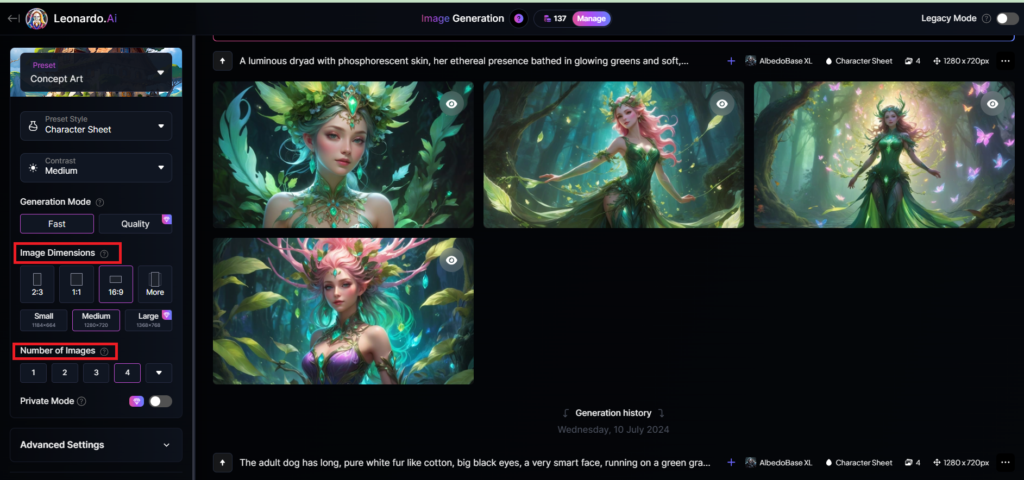
You can select the image size in the “Image Dimensions” section, which includes sizes like 2:3, 1:1, 16:9, and more options under “More” on the left. Alternatively, you can choose the number of images in the “Number of Images” section, with a maximum of 8 images that can be generated.
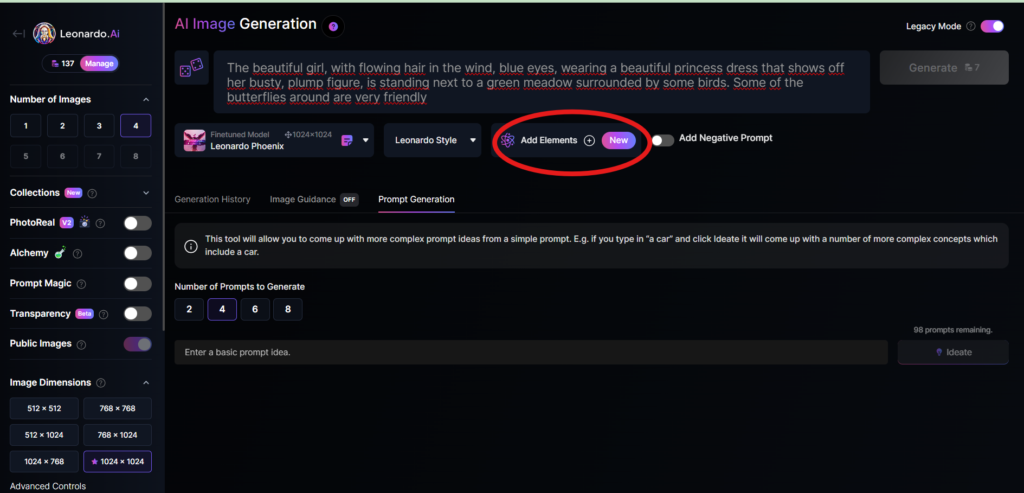
Add Elements
Use the drop-down menu under “Add Elements” to select a specific element such as Coloring Book, Folk Art Illustration, Children’s Illustration, Cartoon & Anime, or Classic Style Christmas Illustration. Although you can select multiple elements, Leonardo advises that choosing more than two elements may lead to unpredictable results.
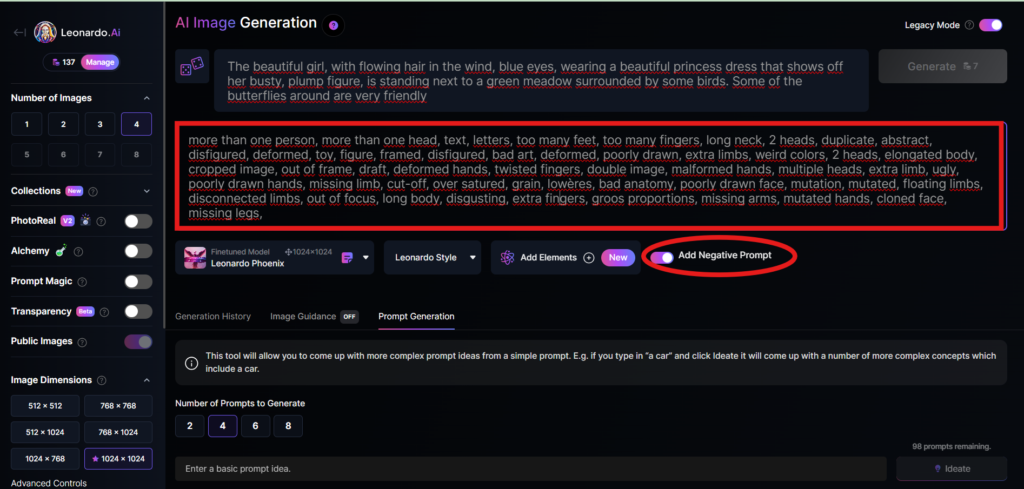
Add a negative prompt
As in the example above, I created negative prompts to ensure the resulting images were error-free, including: “more than one person, more than one head, text, letters, too many feet, too many fingers, long neck, 2 heads, duplicate, abstract, disfigured, deformed, toy, figure, framed, disfigured, bad art, deformed, poorly drawn, extra limbs, weird colors, 2 heads, elongated body, cropped image, out of frame, draft, deformed hands, twisted fingers, double image, malformed hands, multiple heads, extra limb, ugly, poorly drawn hands, missing limb, cut-off, over satured, grain, lowères, bad anatomy, poorly drawn face, mutation, mutated, floating limbs, disconnected limbs, out of focus, long body, disgusting, extra fingers, groos proportions, missing arms, mutated hands, cloned face, missing legs,”
Here are the basic steps for new users to create a simple image with Leonardo AI. In the next article, I will guide you through advanced details to create various types of images for different purposes. You can start your free trial with Leonardo AI here:


Выбор свадебного макияжа
dubai property law payment schedule Studio for Sale in Dubai 7 emirates real estate dubai properties mirdif
This paragraph offers clear idea for the new people of
blogging, that actually how to do blogging and site-building.
This is a fantastic article regarding the current property development trends in the
region. Selecting the right Interior design Malaysia partner is undoubtedly a
top priority for new homeowners today. In the Selangor area, working with
an Interior designer Selangor who carries the reputation of being among
the Top interior designers KL really helps in optimizing the budget.
I’ve noticed that the Design and build interior design Malaysia model
offered by Jolivin Interiors provides a highly efficient
solution, particularly when it comes to precision-engineered Custom kitchen cabinet Malaysia work.
For those residing in the suburbs, Interior design Puchong is seeing massive growth, and the range of Interior design services Klang Valley is more impressive than ever.
Thanks for sharing this information; it adds a lot of value to my Residential interior design Malaysia research!
https://spb-open24.ru/
1 bedroom apartments for rent in jlt dubai Palm Jumeirah Villas for Sale real estate development companies mbg real estate dubai
сувенирные тарелки Каталог сувенирных тарелок: виды, материалы, популярные дизайны и советы по выбору коллекционных и подарочных тарелок с городами, достопримечательностями.
https://culturesbook.com/1781413571329460_89685
dubai land department transactions Flats for Sale in Dubai cheapest studio apartments for sale in dubai the residences tower 6
maorou_k8m pussy @maorou_k8m
It’s amazing to go to see this web site and reading the views of all colleagues regarding this piece
of writing, while I am also keen of getting familiarity.
https://edilo.edu.pl/exciting-online-games-for-positive-experiences/#comment-242
MVP development team technical audit services
Looking back, I have noticed how today’s casinos honestly concentrate toward mobile speed recently, which makes
the whole session much highly fluid than the dated browser
versions us players used in order to endure. The shift seems as though the industry is always changing, so whenever a person choose to open the trusted spin mama
hub, I’m generally surprised with how quick new opening times have turned out.
One more major point proves to be that absolute range concerning interactive dealer tables
currently ready, and that creates the really required sense of transparency to
regular punters such as us. Nevertheless, I
commonly think if these promos might stay this
generous while the rivalry gets much more aggressive during coming
next few seasons. How do the guys here think about the
wagering conditions on latest promotions? Are they getting better, and perhaps has it only the subtle advertising tactic in order to retain the players engaged further?
888 starz.com https://888starzuz6.com/
https://oksol.co.uk/wp-content/pages/politicheskaya_ghizny_germanii_s_1990_po_1993_g.html
villas for sale 3 bedroom townhouse for sale in dubai Apartments for sale in City Walk Crestlane dubai property launch
https://jobs.tdwi.org/profiles/8408478-betvip-code26
If you want to obtain a great deal from this article then you have to apply such strategies to your
won website.
https://bhushanpowersteel.com/