

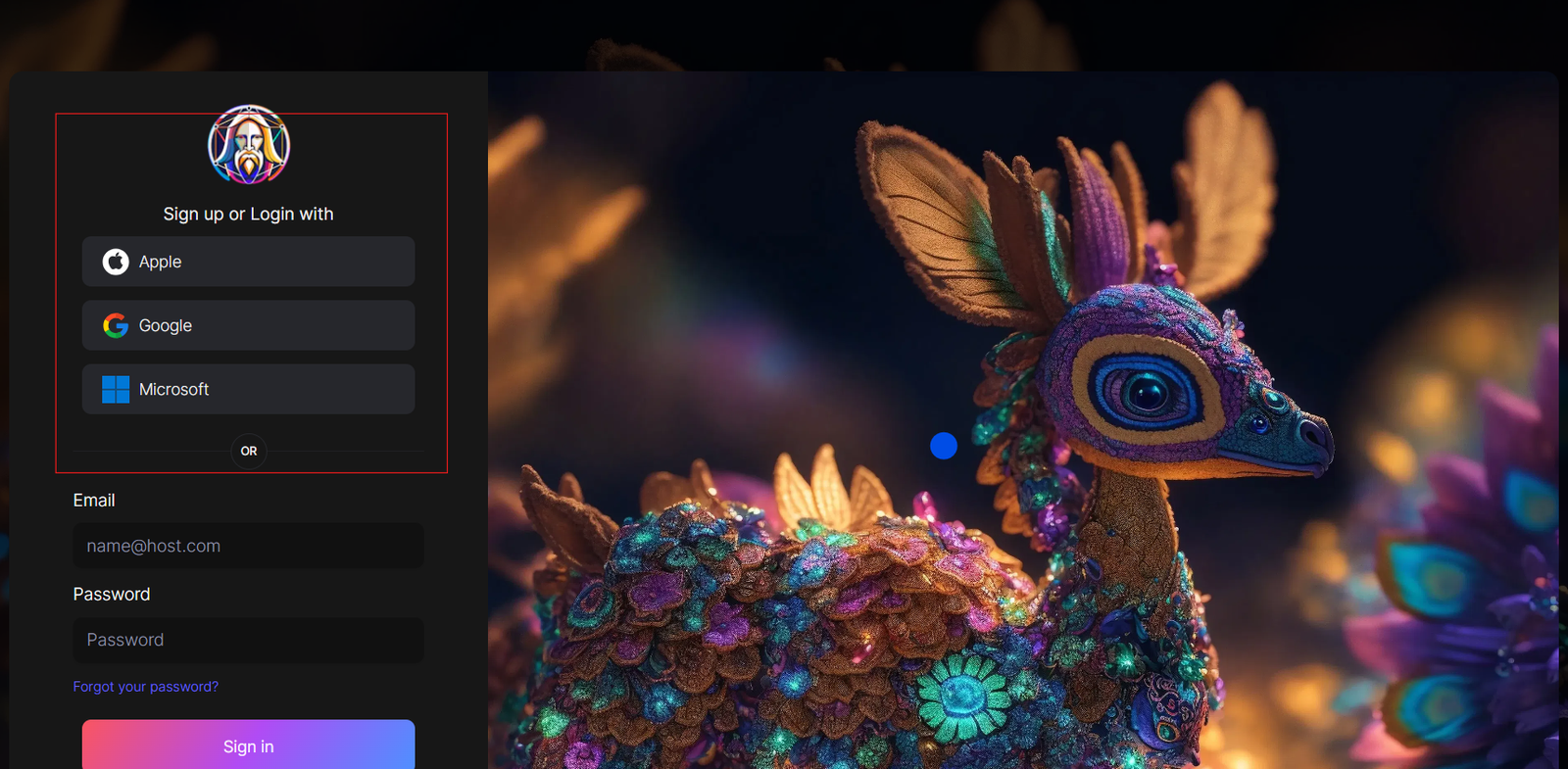
The basic version of Leonardo AI is available for free, although it comes with a daily limit of 150 tokens. For those who need more capabilities and fewer restrictions, premium plans start at $10 per month. However, the free version is sufficient for most beginners. It is recommended to try the free version before opting for the paid one. Here is your guide to creating images with Leonardo AI.
Here are 5 steps to get started with Leonardo AI:
Start:
Go to the Leonardo AI App:
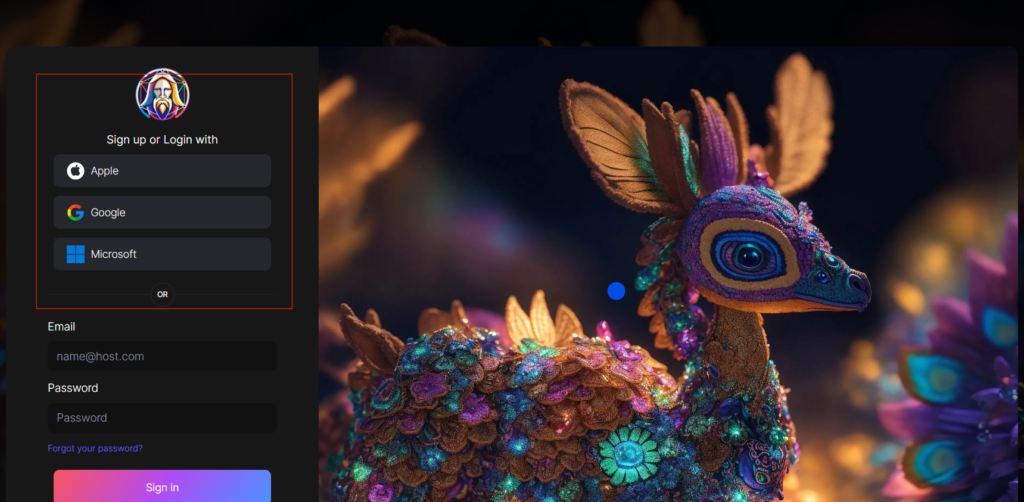
You can sign in with your Apple, Google, Microsoft account, or email account. Then, sign in with your newly created account.
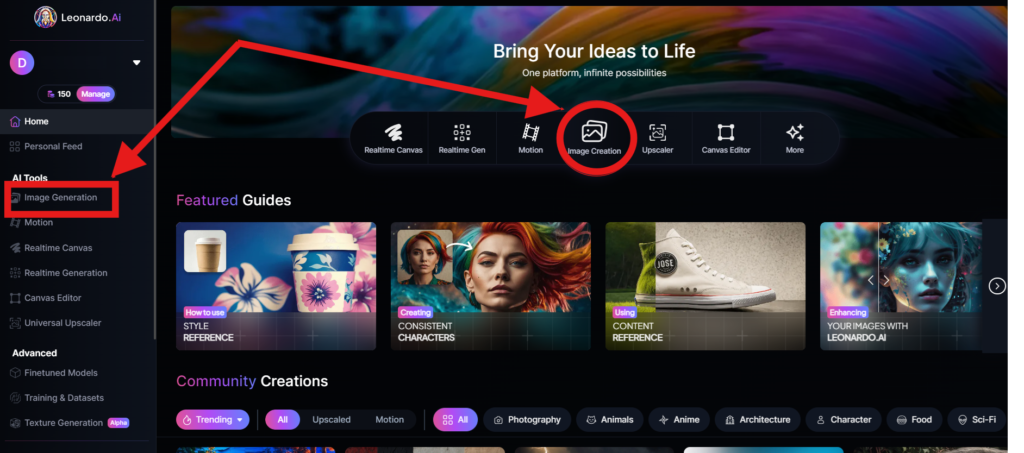
Navigate to the image creation tool
On the app.leonardo.ai homepage, select the ‘Image Generation’ option from the left panel, click on the icon in the middle or use the ‘Image Creation’ button located in the middle
Create your first image
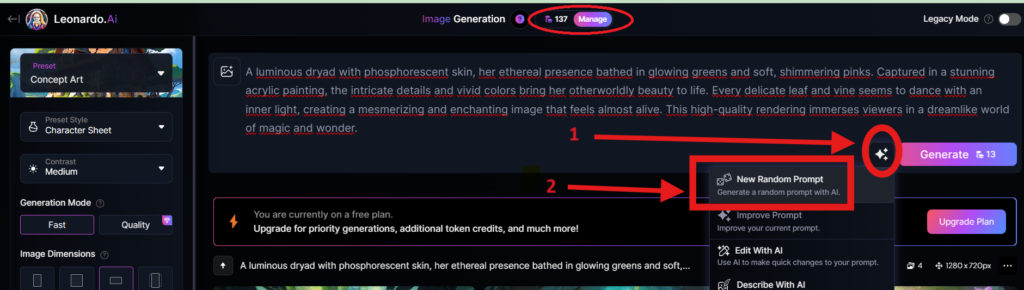
In the prompt field at the top you can immediately create your desired Image. Or you can also create a reminder with the available AI suggestions in 2 ways:
+ Generate a random photo: 1, Click to “New Random Prompt” then 2. click Generate
+ Create a photo with an AI description by an image that you want to get the original idea. Then you edit according to your creativity
Wait about 20 seconds for Leonardo AI to generate the images, and you will receive four stunning high-resolution images as follows:
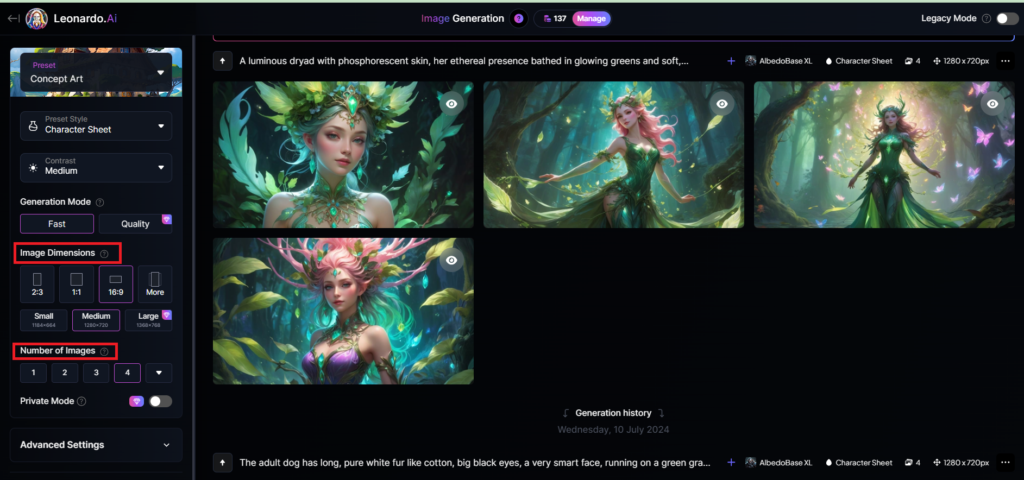
You can select the image size in the “Image Dimensions” section, which includes sizes like 2:3, 1:1, 16:9, and more options under “More” on the left. Alternatively, you can choose the number of images in the “Number of Images” section, with a maximum of 8 images that can be generated.
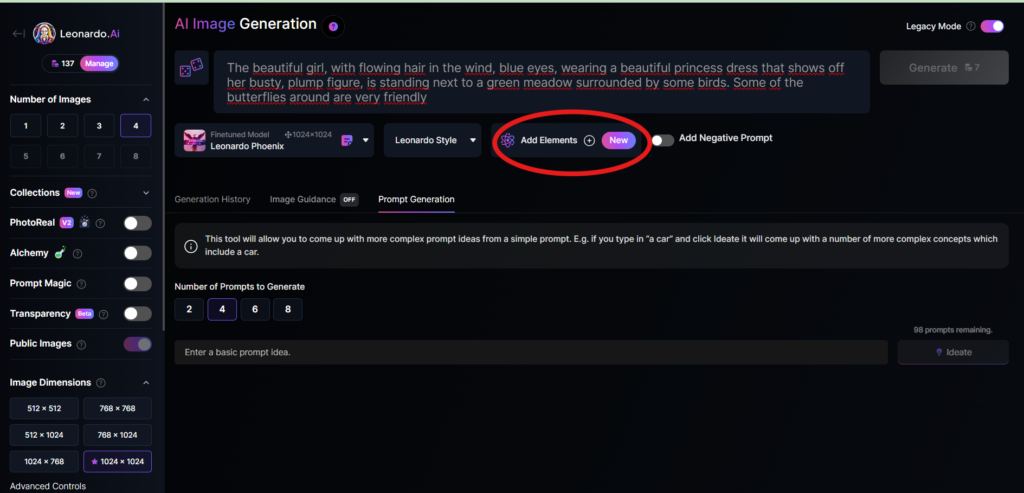
Add Elements
Use the drop-down menu under “Add Elements” to select a specific element such as Coloring Book, Folk Art Illustration, Children’s Illustration, Cartoon & Anime, or Classic Style Christmas Illustration. Although you can select multiple elements, Leonardo advises that choosing more than two elements may lead to unpredictable results.
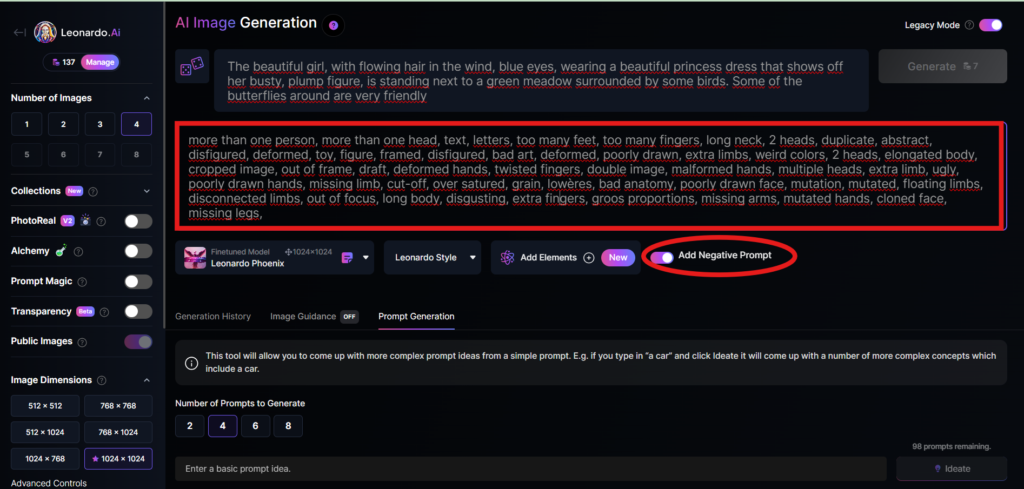
Add a negative prompt
As in the example above, I created negative prompts to ensure the resulting images were error-free, including: “more than one person, more than one head, text, letters, too many feet, too many fingers, long neck, 2 heads, duplicate, abstract, disfigured, deformed, toy, figure, framed, disfigured, bad art, deformed, poorly drawn, extra limbs, weird colors, 2 heads, elongated body, cropped image, out of frame, draft, deformed hands, twisted fingers, double image, malformed hands, multiple heads, extra limb, ugly, poorly drawn hands, missing limb, cut-off, over satured, grain, lowères, bad anatomy, poorly drawn face, mutation, mutated, floating limbs, disconnected limbs, out of focus, long body, disgusting, extra fingers, groos proportions, missing arms, mutated hands, cloned face, missing legs,”
Here are the basic steps for new users to create a simple image with Leonardo AI. In the next article, I will guide you through advanced details to create various types of images for different purposes. You can start your free trial with Leonardo AI here:


The Pepperoni Pizza photos got me curious about why some slices curl.
Does the Pepperoni Pizza lunch combo come with one slice or two?
I bookmarked the Pepperoni Pizza recipe for the dough schedule Pepperoni Pizza
What do you buy first when you try a new bakery?
My corner bakery sells day-old loaves. Which ones do you like for French toast?
I liked that the bakery tour showed the shaping table before the ovens bakery
I searched “Cuban café Aurora CO” for a cafecito stop. What do you usually order with yours?
The “Cuban café Aurora CO” guide was easier to scan with coffee and lunch items listed separately Cuban café Aurora CO
Does the Residential Plumbing Repairs estimate include the cost of opening the wall?
I liked that the Residential Plumbing Repairs guide showed what a worn shutoff valve looks like Residential Plumbing Repairs
crypto gambling usa, online casino uk top 10 and deposit 5 get 100 free
spins uk, or uk bingo
my web site … Wizard Of Odds Craps
I love the staged expectancies at some stage in each and every redecorate—very purposeful. Visit home remodeler near me
The Pepperoni Pizza photos got me curious about why some slices curl.
Does the Pepperoni Pizza lunch combo come with one slice or two?
I bookmarked the Pepperoni Pizza recipe for the dough schedule Pepperoni Pizza
What do you buy first when you try a new bakery?
My corner bakery sells day-old loaves. Which ones do you like for French toast?
I liked that the bakery tour showed the shaping table before the ovens bakery
Wonderful tips! Find more at local heating repair near me .
I searched “Cuban café Aurora CO” for a cafecito stop. What do you usually order with yours?
The “Cuban café Aurora CO” guide was easier to scan with coffee and lunch items listed separately Cuban café Aurora CO
Families often don’t realize how important activities calendars are. We suggest reviewing them carefully on assisted living lamesa tx too.
Knowing that Nursing Homes typically have licensed nurses on site around the clock, while Assisted Living may not, is a key safety point. I verified that difference using checklists from senior care .
The ability to truly customize end-of-life care is greater in smaller communities. That was very important to us in planning for late-stage dementia. memory care near me helped frame those conversations.
mobilní casino trustly (Suzette) vklad přes ecopayz
Does the Residential Plumbing Repairs estimate include the cost of opening the wall?
I liked that the Residential Plumbing Repairs guide showed what a worn shutoff valve looks like Residential Plumbing Repairs
The Pepperoni Pizza photos got me curious about why some slices curl.
Does the Pepperoni Pizza lunch combo come with one slice or two?
I bookmarked the Pepperoni Pizza recipe for the dough schedule Pepperoni Pizza
I like how you suggested talking to the nursing supervisor directly. I’ll incorporate that tip in a new post on assisted living enchanted hills nm .
the blackjacks homepage canada, best paying online pokies united kingdom and no deposit free bonus spins usa aug, 28,
2021, or big poker tournaments in australia
My page :: sherwood valley casino barry weiss (Carolyn)
For residents needing just moderate help, giant facilities can feel like too much. Smaller homes strike a better balance between support and normalcy. assisted living offers good guidance on finding that balance.
The difference in room setups and privacy between Independent Living apartments and Nursing Home rooms is something families sometimes overlook. I learned to ask about this by reading questions-to-ask lists on memory care .