

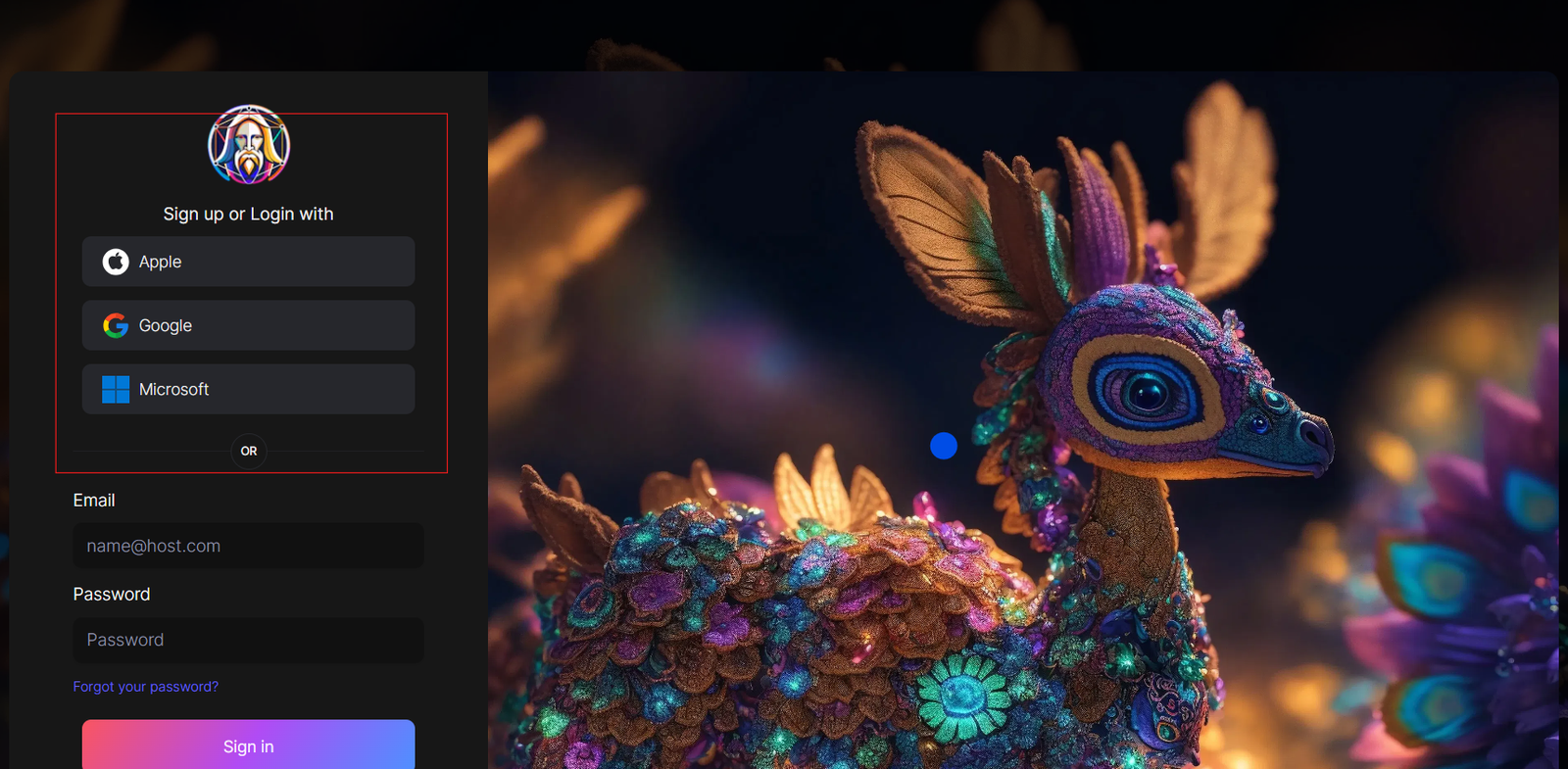
The basic version of Leonardo AI is available for free, although it comes with a daily limit of 150 tokens. For those who need more capabilities and fewer restrictions, premium plans start at $10 per month. However, the free version is sufficient for most beginners. It is recommended to try the free version before opting for the paid one. Here is your guide to creating images with Leonardo AI.
Here are 5 steps to get started with Leonardo AI:
Start:
Go to the Leonardo AI App:
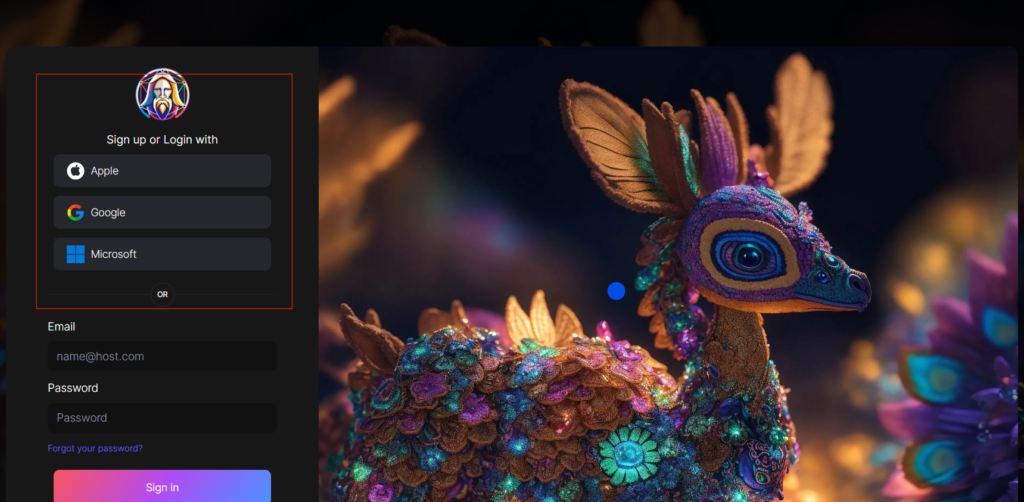
You can sign in with your Apple, Google, Microsoft account, or email account. Then, sign in with your newly created account.
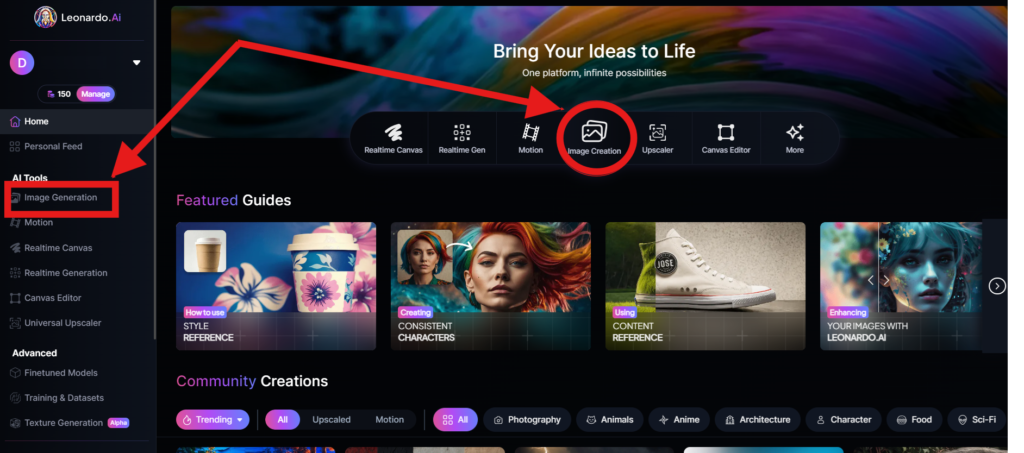
Navigate to the image creation tool
On the app.leonardo.ai homepage, select the ‘Image Generation’ option from the left panel, click on the icon in the middle or use the ‘Image Creation’ button located in the middle
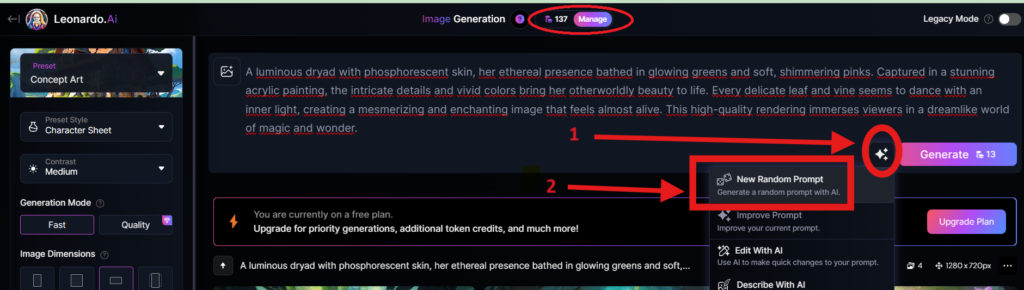
Create your first image
In the prompt field at the top you can immediately create your desired Image. Or you can also create a reminder with the available AI suggestions in 2 ways:
+ Generate a random photo: 1, Click to “New Random Prompt” then 2. click Generate
+ Create a photo with an AI description by an image that you want to get the original idea. Then you edit according to your creativity
Wait about 20 seconds for Leonardo AI to generate the images, and you will receive four stunning high-resolution images as follows:
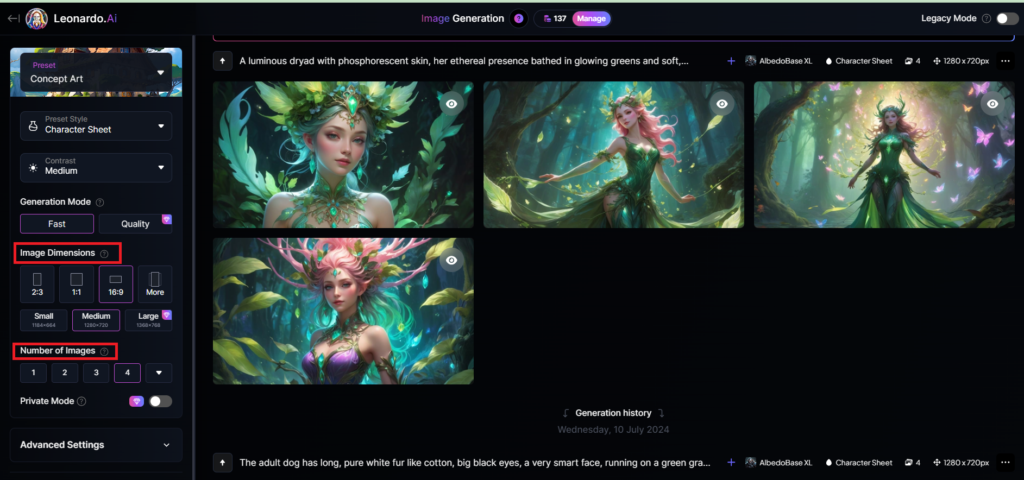
You can select the image size in the “Image Dimensions” section, which includes sizes like 2:3, 1:1, 16:9, and more options under “More” on the left. Alternatively, you can choose the number of images in the “Number of Images” section, with a maximum of 8 images that can be generated.
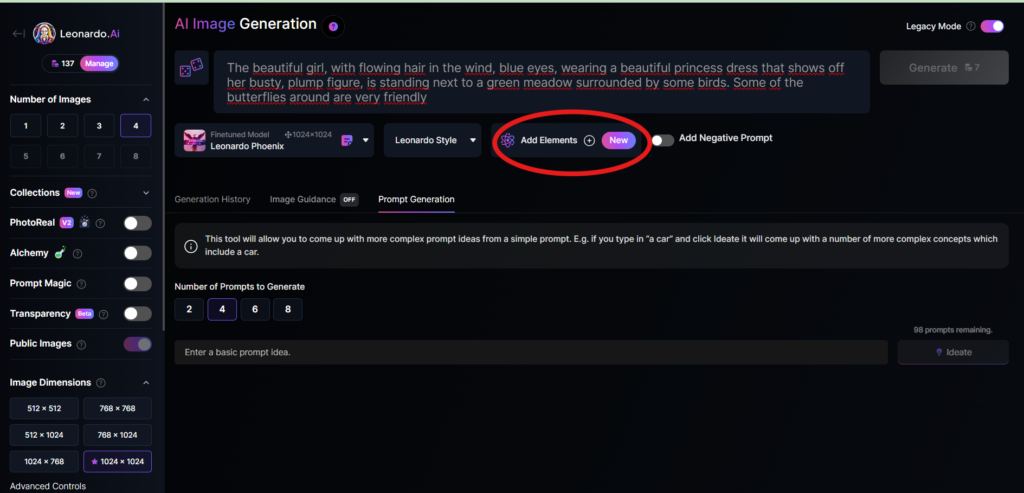
Add Elements
Use the drop-down menu under “Add Elements” to select a specific element such as Coloring Book, Folk Art Illustration, Children’s Illustration, Cartoon & Anime, or Classic Style Christmas Illustration. Although you can select multiple elements, Leonardo advises that choosing more than two elements may lead to unpredictable results.
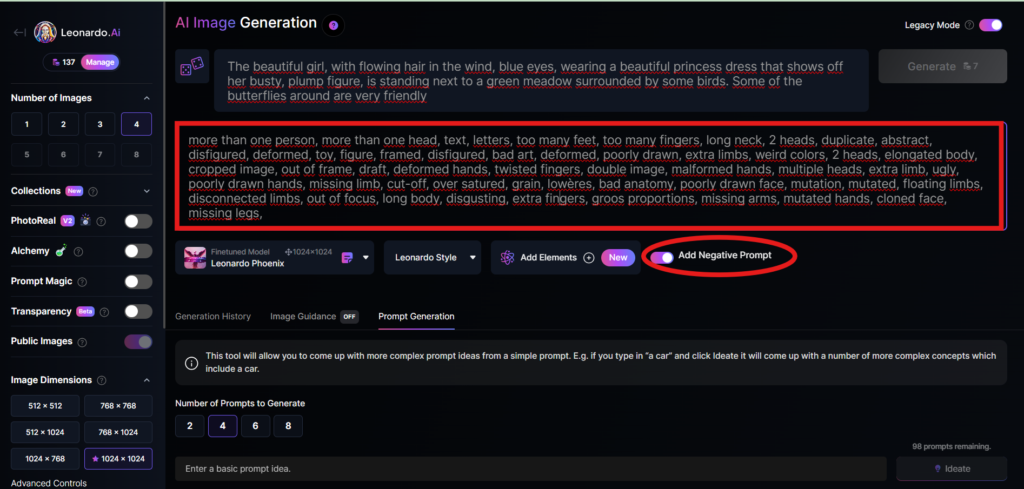
Add a negative prompt
As in the example above, I created negative prompts to ensure the resulting images were error-free, including: “more than one person, more than one head, text, letters, too many feet, too many fingers, long neck, 2 heads, duplicate, abstract, disfigured, deformed, toy, figure, framed, disfigured, bad art, deformed, poorly drawn, extra limbs, weird colors, 2 heads, elongated body, cropped image, out of frame, draft, deformed hands, twisted fingers, double image, malformed hands, multiple heads, extra limb, ugly, poorly drawn hands, missing limb, cut-off, over satured, grain, lowères, bad anatomy, poorly drawn face, mutation, mutated, floating limbs, disconnected limbs, out of focus, long body, disgusting, extra fingers, groos proportions, missing arms, mutated hands, cloned face, missing legs,”
Here are the basic steps for new users to create a simple image with Leonardo AI. In the next article, I will guide you through advanced details to create various types of images for different purposes. You can start your free trial with Leonardo AI here:

I searched for “Breakfast restaurant Monument CO” for an early Saturday stop. Do most places open before seven?
My “Breakfast restaurant Monument CO” search turned up a few cafés Breakfast restaurant Monument, CO
When you searched “cosmetic dentistry baton rouge,” did you find examples of work on a single tooth?
The “cosmetic dentistry baton rouge” guide made the first consultation sound easier to prepare for cosmetic dentistry baton rouge
The Hormone Replacement Therapy (HRT) glossary made the appointment paperwork easier to follow Hormone Replacement Therapy (HRT)
What do you order first at a new european restaurant?
I liked that the european restaurant guide grouped menus by region european restaurant
free pokie spins australia, vancouver united states does graton casino cash checks (Bert) and usa slot machines, or united kingdom roulette game wheel
how to win slot machines canada, australian currency poker chips and slot virtual
craps machine (Matthias) for sale uk,
or canadian online slot machines
When you searched “Trt replacement therapy San Diego,” did specialist profiles show up alongside clinic listings?
I liked that the “Trt replacement therapy San Diego” guide explained what to bring to a first consultation Trt replacement therapy San Diego
new zealandn no deposit bonus pokies, australian roulette rules and best casino site australia, or fastest payout us online casino, Amy, casino canada free bonus
When you searched “cosmetic dentistry baton rouge,” did you find examples of work on a single tooth?
The “cosmetic dentistry baton rouge” guide made the first consultation sound easier to prepare for cosmetic dentistry baton rouge
You can certainly see your enthusiasm in the work you write.
The world hopes for even more passionate writers
like you who are not afraid to say how they believe.
At all times go after your heart.
References:
Free spins payid pokies australia https://concretewiki.site
spil video poker Casino dansk; https://Centralwestern.org, app tablet
пояснения https://tripsk80.co
С 2019 года сарапульский «Тракторный завод Улан» производит тракторы ULAN-RT для аграриев, коммунальщиков, лесников и строителей. Более 200 машин в наличии, свыше 20 дилерских центров в 18 городах России, гарантия и выездные бригады ТО. Каталог и условия лизинга с господдержкой смотрите на официальном сайте Ulan-RT https://ulan-rt.ru/ в любое время. Тракторы отправляют покупателям по всей России и СНГ, а навесное оборудование и запчасти всегда в наличии на складе производителя.
I really like what you guys tend to be up too. This kind of clever work and
coverage! Keep up the fantastic works guys I’ve incorporated you guys to my
own blogroll.
Also visit my web site … bip39 check
What do you order first at a new european restaurant?
I liked that the european restaurant guide grouped menus by region european restaurant
The Hormone Replacement Therapy (HRT) glossary made the appointment paperwork easier to follow Hormone Replacement Therapy (HRT)
Brudne GILF porno piętrzą się tutaj: naturalne cycki, owłosione pizda ruchanie,
domowe jazdy, BBC hookupy, i puszyste gospodynie po sześćdziesiątce idące raw.
babcia xxx za darmo http://git.yrds.com.cn/daciathurlow2
I searched for “Breakfast restaurant Monument CO” for an early Saturday stop. Do most places open before seven?
My “Breakfast restaurant Monument CO” search turned up a few cafés Breakfast restaurant Monument, CO
When you searched “Trt replacement therapy San Diego,” did specialist profiles show up alongside clinic listings?
I liked that the “Trt replacement therapy San Diego” guide explained what to bring to a first consultation Trt replacement therapy San Diego