

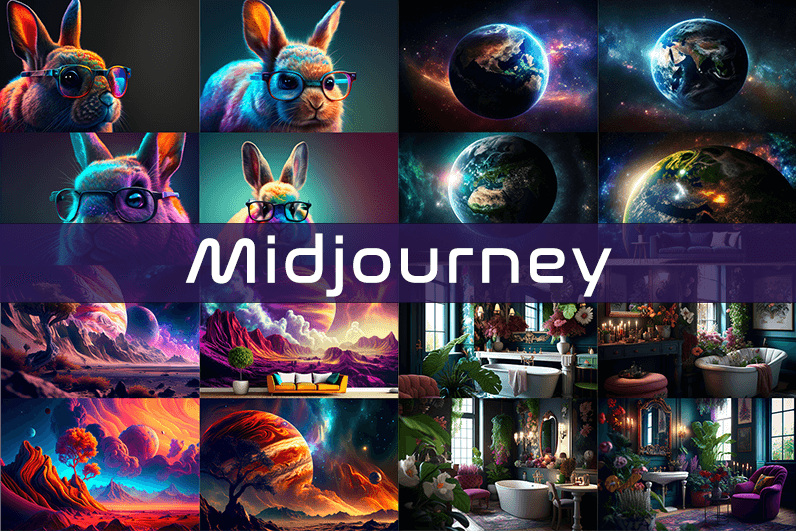
Midjourney is an AI image generation tool based on Discord, utilizing text commands to create images. You can input prompts for the type of image you’re looking for, and the system will generate the image for you. Whether it’s a dragon, an alien spaceship, a dancing puppy, or anything else, the Midjourney bot will assist you.
Key Points
- Discord-Based: Midjourney operates on Discord, so familiarity with Discord chat is necessary.
- High-Quality Images: It generates high-quality images based on text prompts.
- Artistic Styles: Capable of creating images in various artistic styles from sketches to paintings to surreal photos.
- Community Interaction: Engage with the community and participate in channels.
- Image Editing: Allows you to edit your images and create multiple variations.
- Upscaling: You can upscale your images to enlarge them.
- Customization: Fine-tune images by specifying aspect ratio, quality, and chaos levels.
- NLP Features: Excellent natural language processing features ensure accurate results.
- Version 5: The latest version, released in March 2023, is accessible to users.
- No Free Plan: Offers various paid plans according to user needs.
How We Tested the Product
I tested both simple and complex prompts, and Midjourney consistently provided accurate results. While I don’t consider myself an artist, it felt like engaging in artistic creation. You’re only limited by your imagination. It generates four images per prompt. You can select one of the four images and edit it. I tried various styles, and the results were perfect every time. Testing Midjourney felt more like fun than work.
Pros and Cons of Midjourney
Pros 👍
- Extremely easy to use; just type text prompts to generate images.
- Highly accurate results with high-quality images.
- Version 4 was great, and version 5 offers even better results.
- Provides fine-tuning features for artists.
Cons 👎
- No free trial.
- Images are public to other users, so you can’t create business designs.
- Only available on Discord.
- Limited customer support.
What is Midjourney?
Midjourney is a text-to-image generation tool powered by artificial intelligence. It uses Natural Language Processing (NLP) to interpret prompts provided by users and generates relevant images based on those prompts. Currently in version 5.2, Midjourney does not have a standalone application and operates on Discord chat. It boasts a large community where you can join channels to interact with other artists. While it can create stunning images, it is not recommended for business design purposes as all images are public.
How Does Midjourney Work?
Midjourney uses two machine learning techniques: Diffusion Model and Large Language Model. With the Large Language Model, Midjourney understands the meaning of user-entered prompts. Through diffusion, the system adds noise to the training dataset and then reverses the noise to restore the original image, training the AI to generate accurate results based on prompts.
In simpler terms, if you want to create an image of a “ladybug on a blade of grass,” AI starts with noise (like TV static) and gradually diffuses it to create an image matching your prompt, producing a clear image step by step.
Using Midjourney
Midjourney runs on Discord, a text and voice chat application. Here’s how to get started:
- Create a Discord Account: Download the Discord app or open it in your browser.
- Join Midjourney: Accept the invite to join Midjourney, available on their website.
- Enter Midjourney: Join any channel; a newbie channel is a good start. Use the search bar at the top right to find channels.
- Subscribe: You cannot create images without a subscription. Enter
/subscribein the text box to subscribe to their paid plan. - Select a Plan: It will take you to their pricing page. Subscribe to a plan and start creating images.
- Generate Images: Enter
/imagineto open the image prompt. Describe your image, and AI will create it. - Choose and Edit: You will receive four images per prompt. Select one to upscale or edit. Save the image when satisfied.
How to Upscale Images
When you generate an image, you’ll see buttons labeled U1, U2, U3, U4, V1, V2, V3, and V4. The U buttons upscale the selected image, and the V buttons create four new variations of the selected image. Right-click and save the image when you’re happy with the result.
Special Commands in Midjourney
Similar to /imagine, there are other special commands to interact with the Midjourney bot:
/askto ask a question./fastfor faster results./stealthfor stealth mode (your images won’t be visible to others)./subscribeto subscribe to a paid plan.
A full list of commands is available here.
Parameters
There are special parameters you can set with each command:
--aspect: Change the aspect ratio, e.g.,--ar 3:2for a 3:2 aspect ratio.--no: Negative prompts to exclude certain elements, e.g.,--no flowers.--tile: Create seamless images that match each other.
All Midjourney parameters can be found here.
Cost
Midjourney offers four plans:
- Basic Plan: $8/month
- Standard Plan: $24/month
- Pro Plan: $48/month
- Mega Plan: $96/month
These are annual fees, and monthly plans are slightly more expensive. The Basic Plan costs $10/month for a monthly subscription. No free trial is available. The Basic Plan allows for around 200 generations, and all your public images are visible to everyone. Stealth options are available in the Pro and Mega Plans.
Writing Creative Midjourney Prompts
Writing a generic prompt is easy, but crafting a prompt that highlights the beauty of Midjourney’s AI takes experience. Here are some tips:
- Detailed Descriptions: Provide detailed descriptions as AI might misinterpret vague terms.
- Brevity: Keep prompts concise. Longer prompts risk being ignored.
- Negative Prompts: Use negative prompts to exclude elements you don’t want, e.g., “a farm with no animals.”
- Creative Tags: Use creative tags for unusual images, e.g., “a flying dinosaur – creative.”
- Prompt Generator: Use a prompt generator to help create detailed prompts.
Is Midjourney Open Source?
Midjourney is not open source. It’s a self-funded project developed by a small team. Unlike Dall-E by OpenAI, which is open source, Midjourney’s software is not available for use, modification, or distribution. However, the images generated in public channels are “open source” in a sense, as they are publicly accessible.
Is Midjourney Safe?
Personal data provided to Midjourney is stored on their servers in the USA. The company ensures user data is safe and secure and does not sell any of your data. If you have used Midjourney, you can request data deletion by providing your email, Discord user ID, and Midjourney user ID. Publicly generated images on public channels are public and should not be used for business designs like logos.

Здорова, народ Муж просто потерял контроль Родные не знают что делать Нужен специалист прямо сейчас Короче, нарколог приехал за час — вызов нарколога на дом недорого Приехал через 40 минут В общем, жмите чтобы сохранить — экстренная наркологическая помощь на дому https://narkolog-na-dom-moskva-abc.ru Нарколог на дом — это быстро и эффективно Перешлите тем кто в такой же ситуации
Thanks for sharing. I read many of your blog posts, cool, your blog is very good.
mostbet server xatolik http://mostbet50191.help
Салют, Екатеринбург Брат не выходит из штопора Родственники не знают что делать В клинику везти страшно Короче, спасла только эта капельница — вызвать капельницу от запоя на дому срочно Поставили капельницу с детокс-раствором В общем, вся инфа по ссылке — поставить капельницу от похмелья https://kapelnicza-ot-zapoya-ekaterinburg-nmx.ru Капельница — это реальный выход Перешлите тем кто в такой же беде
mines игра mostbet mostbet38274.help
mostbet mines jak hrát http://www.mostbet90833.online
lucky jet mostbet demo https://www.mostbet49675.online
mostbet лимиты KGS mostbet лимиты KGS
mostbet účet nastavení mostbet účet nastavení
يقدم 888starz تصميمًا عربيًا واضحًا يناسب المستخدم المصري.
يتيح الموقع أكثر من مئتين وخمسين طاولة روليت وبلاك جاك مباشرة.
888 starz 888 starz
يوفر الموقع رهانًا فوريًا وإحصاءات مباشرة للأحداث الجارية.
ينال المراهن الرياضي بونص أول إيداع بنسبة 100% حتى 100 يورو.
يبقى الدعم متاحًا 24/7 عبر الدردشة والبريد مع تطبيق لأندرويد و iOS.
Wpisanie kodu zwiększa pakiet powitalny o dodatkowe środki lub free spiny.
Pierwszym krokiem jest utworzenie konta oraz podanie wymaganych danych.
Niektóre oferty obejmują tylko określone sloty wskazane w regulaminie.
Stali użytkownicy mogą otrzymywać kody na reload bonusy i darmowe spiny.
Pomoc techniczna wyjaśni warunki oferty i pomoże w prawidłowym wpisaniu kodu.
kod promocyjny do vox casino kod promocyjny do vox casino
يمكن الوصول إلى الكازينو من المتصفح أو التطبيق على أندرويد و iOS.
يحتوي الكازينو على آلاف ماكينات السلوت من استوديوهات مرموقة.
تتوفر مئات طاولات الكازينو الحي بموزعين فعليين في أي وقت.
يضم الكازينو ألعابًا تلفزيونية سريعة تناسب من يفضل النتائج الفورية.
يقدم الموقع مساعدة على مدار الساعة لكل استفسارات الكازينو.
888stars 888stars
تتوفر واجهة الكازينو بالعربية مع تصنيفات واضحة تسهّل العثور على الألعاب.
888starz 888starz
تتنوع الألعاب بين السلوت الكلاسيكية والفيديو سلوت بخطوط دفع متعددة.
يمنح البث المباشر أجواء الكازينو الحقيقي من المنزل.
يفضل كثير من اللاعبين ألعاب الكراش لسرعة جولاتها.
يُنصح دائمًا باللعب بمسؤولية وضمن ميزانية محددة.
mostbet az mirror link http://www.mostbet20142.online
تحظى المنصة بترخيص رسمي يوفر أمانًا وشفافية في كل عملية.
888 starz 888 starz
يتوفر في الكازينو الحي أكثر من 250 طاولة بموزعين حقيقيين تعمل بلا توقف.
يغطي قسم الرياضة أكثر من 35 نوعًا من كرة القدم والتنس إلى الملاكمة والإي سبورتس.
كما يطرح الموقع عروضًا دائمة من كاش باك ورهانات مجانية وبطولات.
يقدم 888starz تسجيلًا سريعًا بخطوات بسيطة وحد إيداع منخفض.
мостбет андижан мостбет андижан
يفتح 888starz أمام لاعبي مصر بوابة واحدة للكازينو والمراهنات الرياضية.
يوفر الكازينو الحي أكثر من 250 طاولة بموزعين حقيقيين تعمل بلا توقف.
888starz 888starz
يقدم 888starz تغطية للدوريات الأوروبية والمنافسات المصرية.
ينال المراهن الرياضي بونص أول إيداع بنسبة 100% حتى 100 يورو.
يقدم 888starz تسجيلًا سريعًا بخطوات بسيطة وحد إيداع منخفض.
Мамы и папы всем привет Учителя которые только и делают что пилят Нервный как спичка Короче, нашли крутую альтернативу — онлайн класс с индивидуальным графиком Никаких звонков и перемен В общем, смотрите сами по ссылке — онлайн обучение для школьников 11 класс https://shkola-onlajn-nvc.ru Переходите на дистант нормальный Перешлите другим родителям
мостбет поддержка whatsapp http://mostbet42718.help
mostbet logowanie bez aplikacji https://mostbet49675.online