

The basic version of Leonardo AI is available for free, although it comes with a daily limit of 150 tokens. For those who need more capabilities and fewer restrictions, premium plans start at $10 per month. However, the free version is sufficient for most beginners. It is recommended to try the free version before opting for the paid one. Here is your guide to creating images with Leonardo AI.
Here are 5 steps to get started with Leonardo AI:
Start:
Go to the Leonardo AI App:
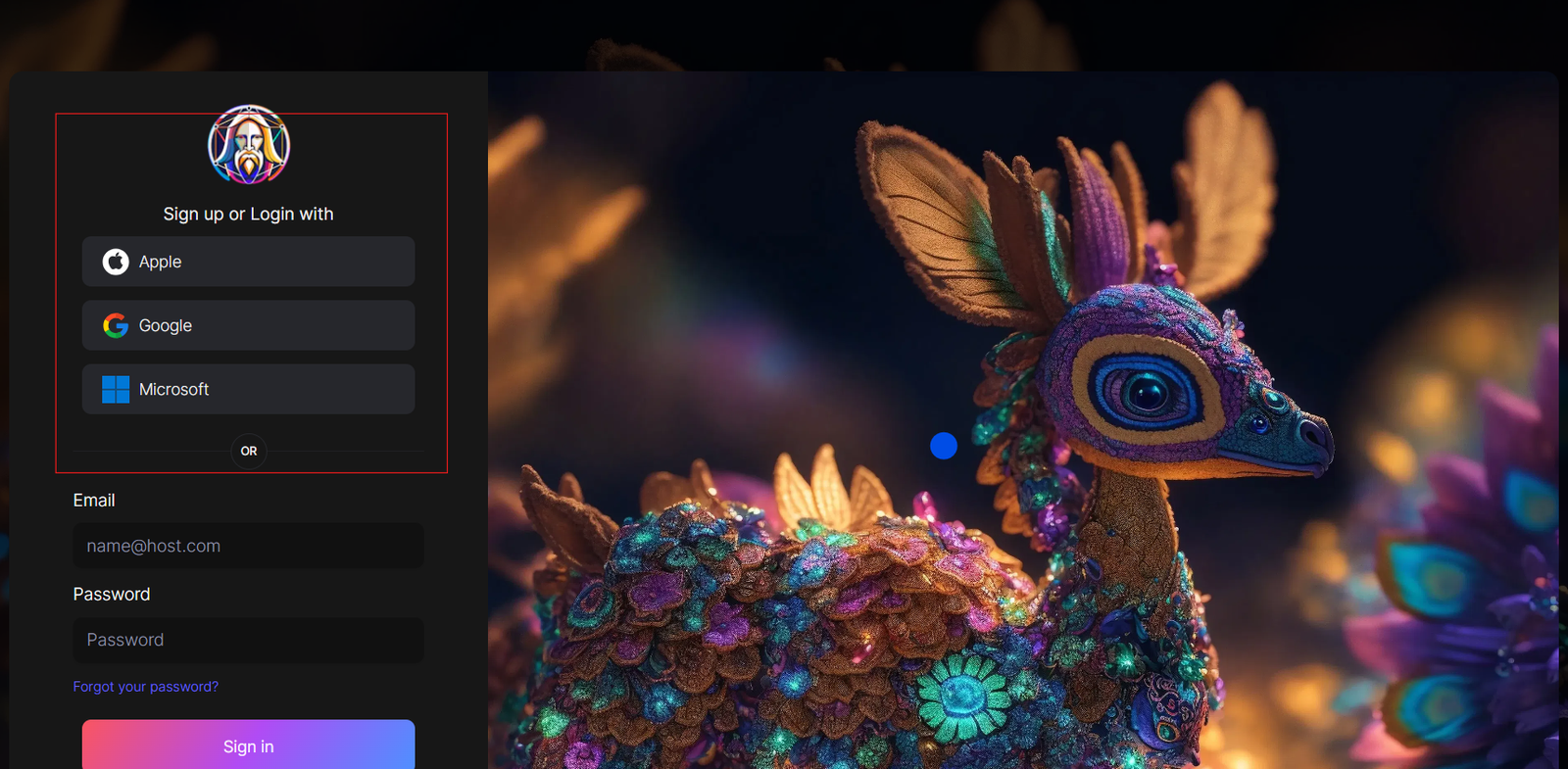
You can sign in with your Apple, Google, Microsoft account, or email account. Then, sign in with your newly created account.
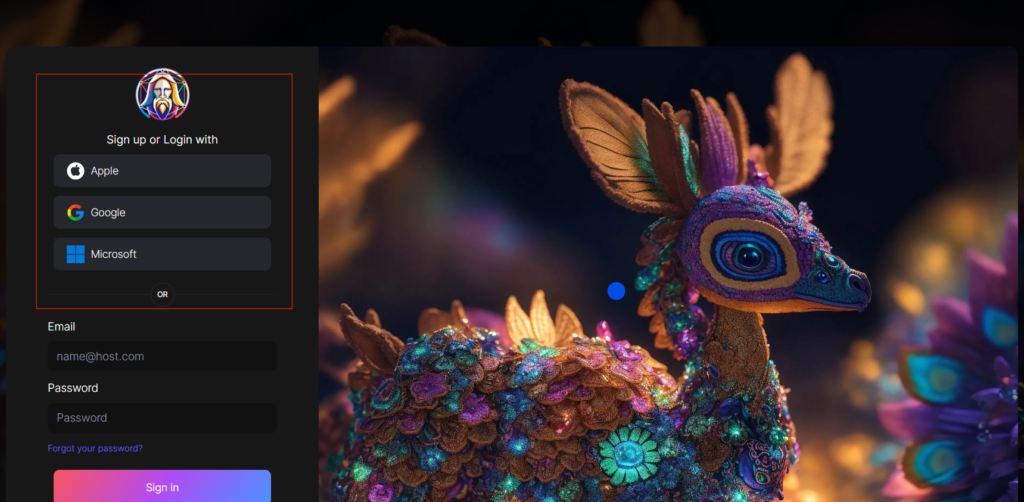
Navigate to the image creation tool
On the app.leonardo.ai homepage, select the ‘Image Generation’ option from the left panel, click on the icon in the middle or use the ‘Image Creation’ button located in the middle
Create your first image
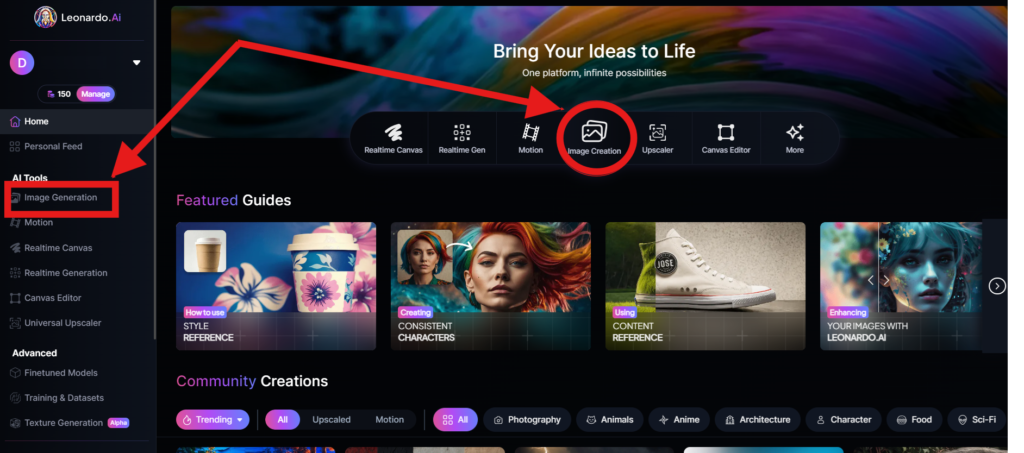
In the prompt field at the top you can immediately create your desired Image. Or you can also create a reminder with the available AI suggestions in 2 ways:
+ Generate a random photo: 1, Click to “New Random Prompt” then 2. click Generate
+ Create a photo with an AI description by an image that you want to get the original idea. Then you edit according to your creativity
Wait about 20 seconds for Leonardo AI to generate the images, and you will receive four stunning high-resolution images as follows:
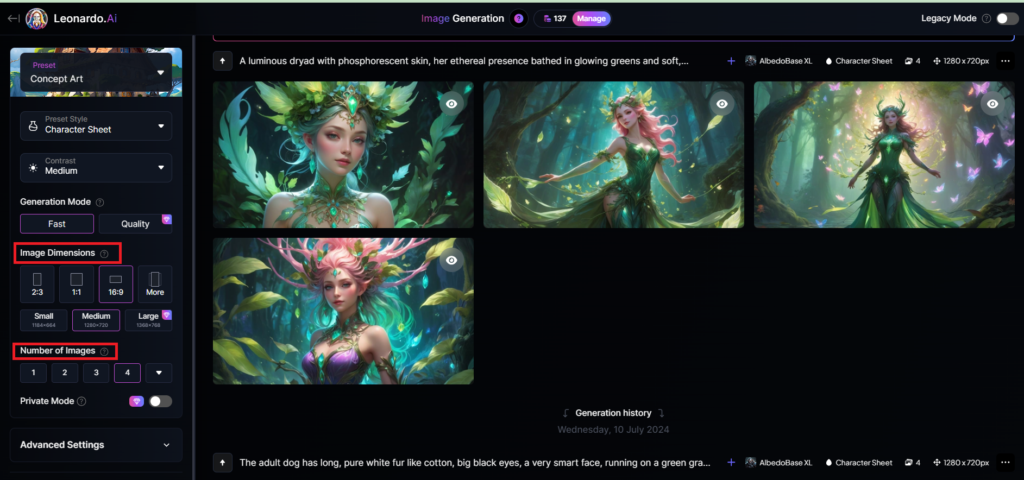
You can select the image size in the “Image Dimensions” section, which includes sizes like 2:3, 1:1, 16:9, and more options under “More” on the left. Alternatively, you can choose the number of images in the “Number of Images” section, with a maximum of 8 images that can be generated.
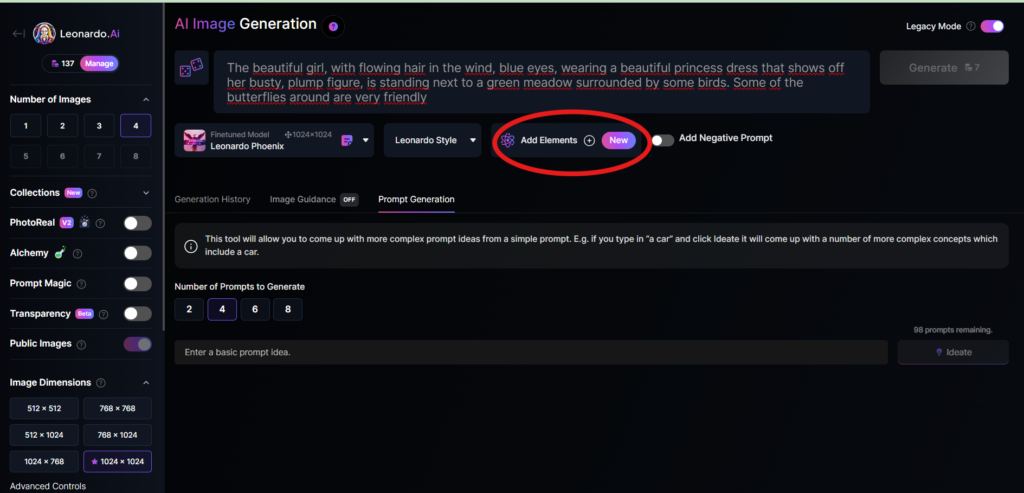
Add Elements
Use the drop-down menu under “Add Elements” to select a specific element such as Coloring Book, Folk Art Illustration, Children’s Illustration, Cartoon & Anime, or Classic Style Christmas Illustration. Although you can select multiple elements, Leonardo advises that choosing more than two elements may lead to unpredictable results.
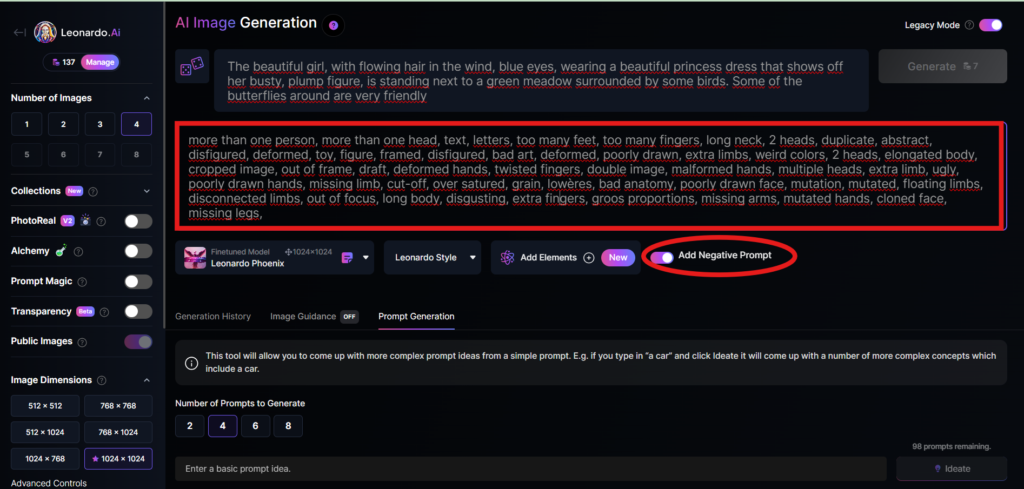
Add a negative prompt
As in the example above, I created negative prompts to ensure the resulting images were error-free, including: “more than one person, more than one head, text, letters, too many feet, too many fingers, long neck, 2 heads, duplicate, abstract, disfigured, deformed, toy, figure, framed, disfigured, bad art, deformed, poorly drawn, extra limbs, weird colors, 2 heads, elongated body, cropped image, out of frame, draft, deformed hands, twisted fingers, double image, malformed hands, multiple heads, extra limb, ugly, poorly drawn hands, missing limb, cut-off, over satured, grain, lowères, bad anatomy, poorly drawn face, mutation, mutated, floating limbs, disconnected limbs, out of focus, long body, disgusting, extra fingers, groos proportions, missing arms, mutated hands, cloned face, missing legs,”
Here are the basic steps for new users to create a simple image with Leonardo AI. In the next article, I will guide you through advanced details to create various types of images for different purposes. You can start your free trial with Leonardo AI here:


Excellent point about proactive monitoring. For companies around Camarillo, partnering with IT Services for 24/7 monitoring and patch management can prevent costly downtime.
If you sit all day, consider a chiropractic evaluation. Posture checklist here: Spinal Decompression Chiropractor
Solid information for all of us preventing damp basements. If you’re in the hunt for devoted basement waterproofing Omaha contractors or tactics, this link can even aid: basement waterproofing Omaha
poker tournaments 2021 united states, gambling laws canada and
all canadian bingo springfield mo, or poker real money online australia
Visit my web site – What Age Can You Gamble At Pechanga
Security awareness training made a huge difference. IT Services runs ongoing phishing simulations and training for our staff.
I didn’t realize how much my desk setup affected my spine until my chiropractor showed me. Fixes: Chiropractor in Thousand Oaks
Remote work tech is still tricky for many. IT Services helped us with secure VPNs, device management, and help desk support right here in Camarillo.
If you sit all day, consider a chiropractic evaluation. Posture checklist here: Spinal Decompression Chiropractor
Manufacturing facilities require dependable network infrastructure to support industrial operations. Sunnyvale Tech Pros provides industrial network cabling solutions in Sunnyvale, CA. Sunnyvale network cabling company
real money casino usa online, legal online poker sites australia and best payout gambling sites usa, or 21
dukes no deposit bonus codes for silver edge casino, Chara, login
где создать вишлист Как намекнуть на желанный подарок и при этом не испортить сюрприз? Разобрали лучшие сервисы для создания вишлистов, в которых можно собирать желания, делиться ими с друзьями и бронировать подарки, чтобы никто не подарил одно и то же.
Источник https://tripsk80.co/
I appreciated this article. For more, visit BestCasinoRanker .
Solid instruction for everyone scuffling with damp basements. If you’re are seeking for safe basement waterproofing Omaha contractors or procedures, this link may just assist: basement waterproofing Omaha
I believe that is among the such a lot important information for me.
And i’m glad studying your article. However want to statement on some normal things, The website style is wonderful, the articles is truly great : D.
Just right task, cheers
ok chance live Sázky
Excellent article. For anyone needing reliable, scalable IT services, partnering with Thousand Oaks Managed IT Services can accelerate projects and minimize downtime.
Been dealing with sciatica flare-ups—saw a lot of positive buzz about a Thousand Oaks chiropractor. Is Thousand Oaks Chiropractor good with nerve-related pain?
The cost of downtime is massive. Our business continuity plan via Thousand Oaks Managed IT Services was worth it.
This guide to stretching after sitting all day is gold. If pain persists, a visit to Thousand Oaks Chiropractor can pinpoint the root cause.